Appearance
Record opening stock with a receipt
A receipt adds goods to a shop. Use it for stock that arrives without a purchase order, for example:
- Opening stock when you start using Phum Sales
- Goods given to you for free, or found during a count
For goods you buy, use a purchase instead: receiving it makes the receipt for you, linked to the purchase.
A receipt starts as a draft and changes nothing until you validate it.
Who can do this: Anyone whose role can create stock moves, such as Warehouse staff.
Step by step
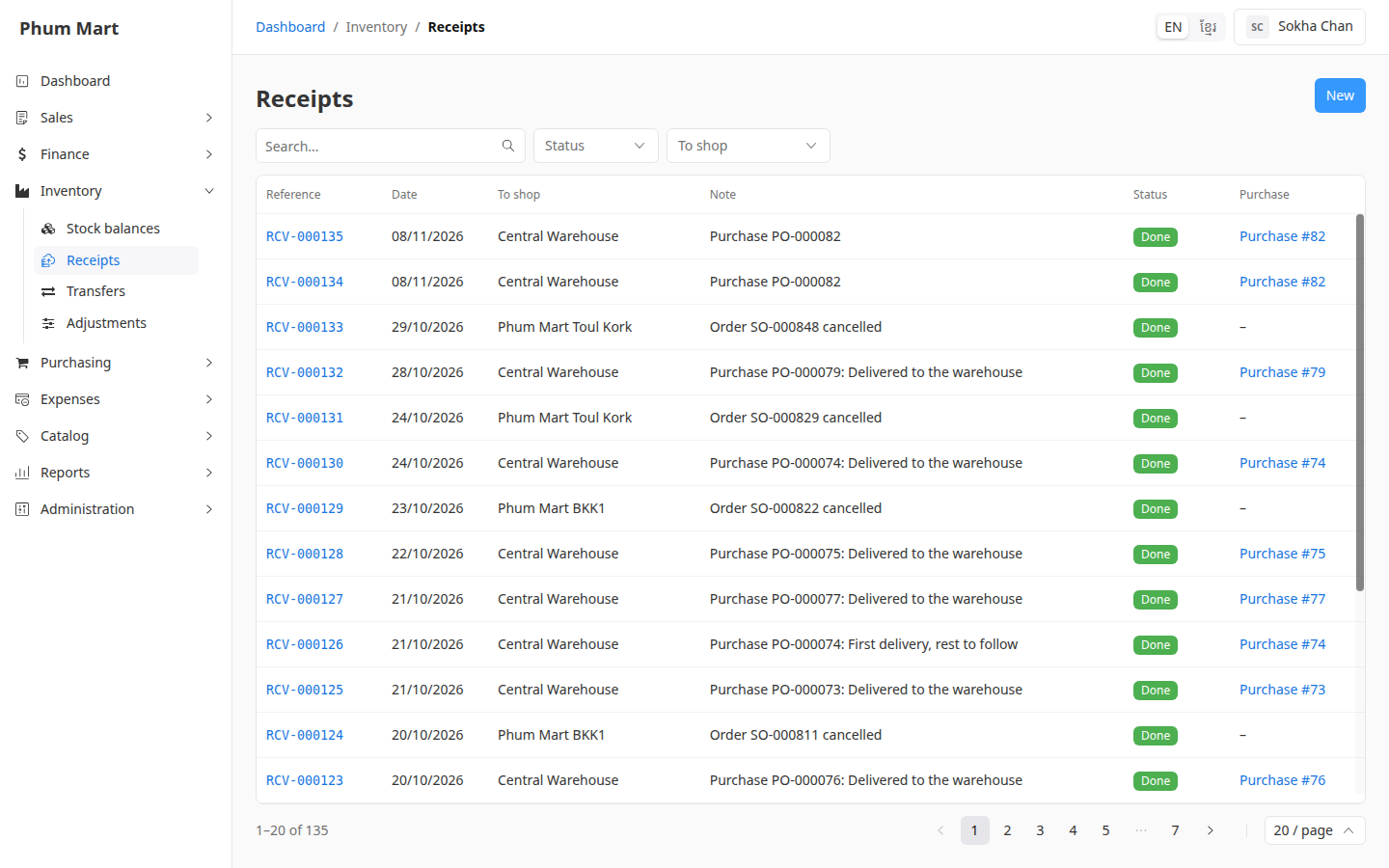
Go to Inventory › Receipts and click New.
Choose the To shop the goods go into, and check the Date.
Type a Note, for example "Opening stock, counted 8 Nov".
In Lines, choose the Variant, the Unit and the Quantity. Click Add line for more products.
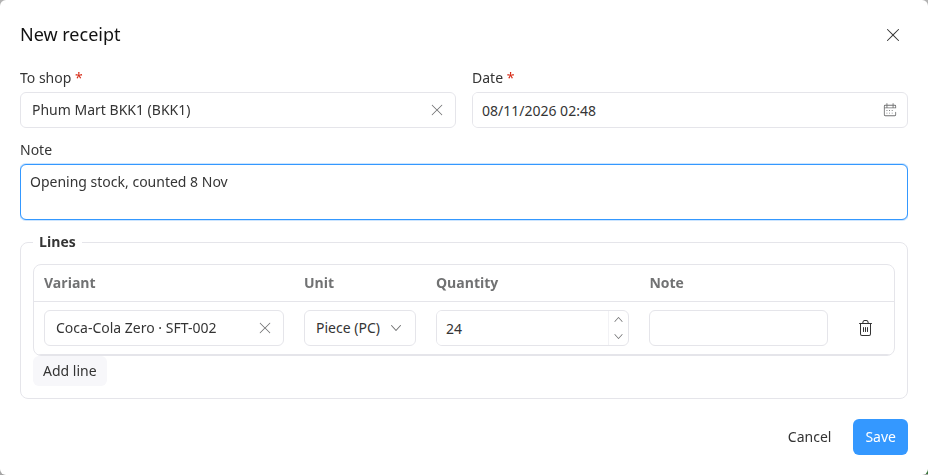
Click Save. The receipt opens as a Draft.
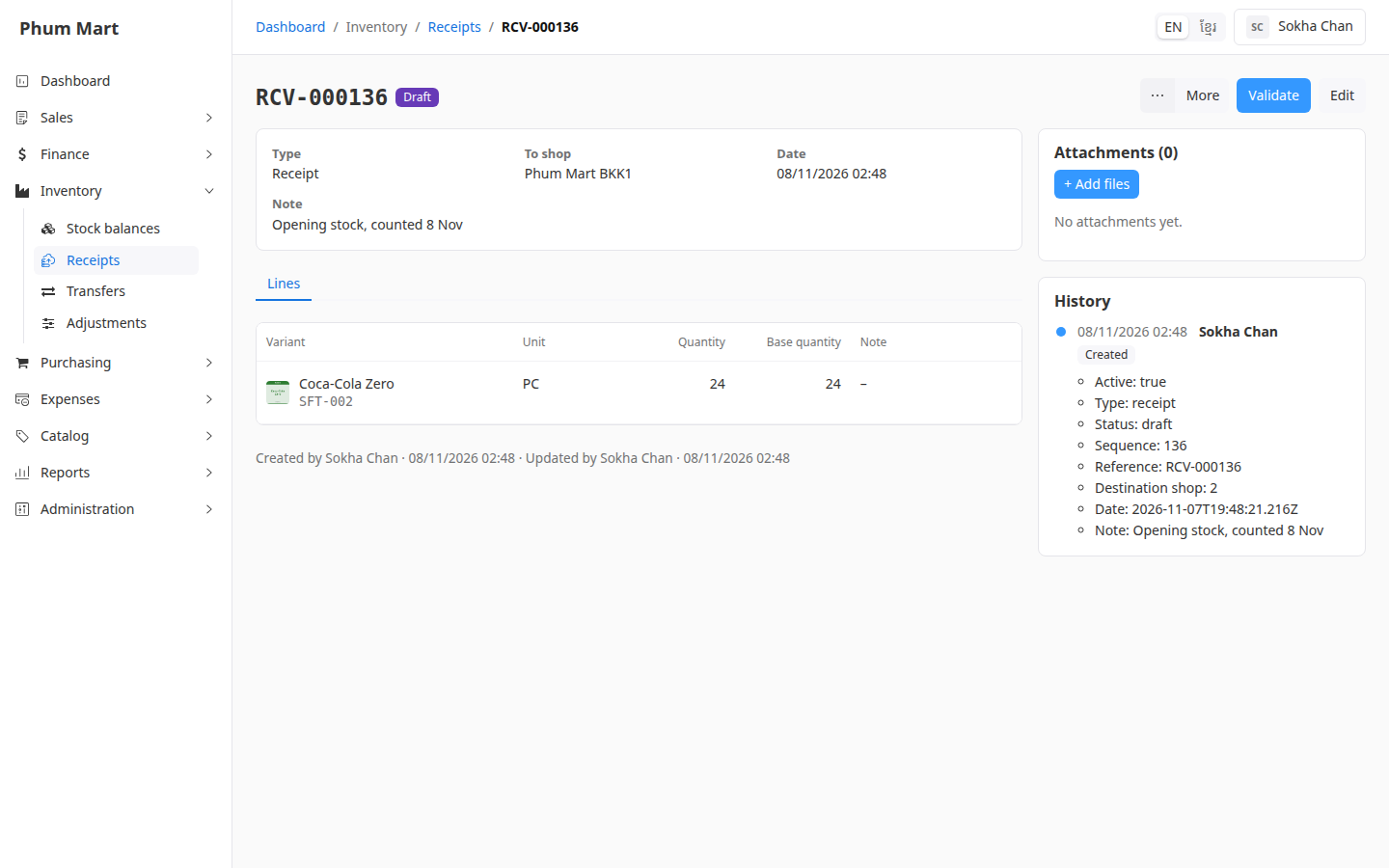
Check it, then click Validate. See Validate or cancel a stock move.
The Purchase column of the Receipts list shows which receipts came from purchases. Those can't be edited here.
Having trouble?
- A product isn't offered: only goods have stock. Services and combos aren't offered.
- You can't edit a receipt: it's done, or it was made by a purchase. Correct the stock with an adjustment.