Appearance
Shifts
One row per POS shift opened in the period, with its register, cashier, times, sales, and its drawer: Expected cash, Counted and Difference, for each currency.
Expected cash is the opening float + cash sales − change given + cash put in − cash taken out. Each currency's drawer is counted on its own, and differences are never converted.
Who can do this: Anyone whose role has the Sales reports permission.
Step by step
Go to Reports › Shifts, and choose the period, shop or cashier. You can also choose a Register or Status.
Read the tiles: Closed shifts, Open now, and the Cash difference for each currency, with how many shifts were short or over.
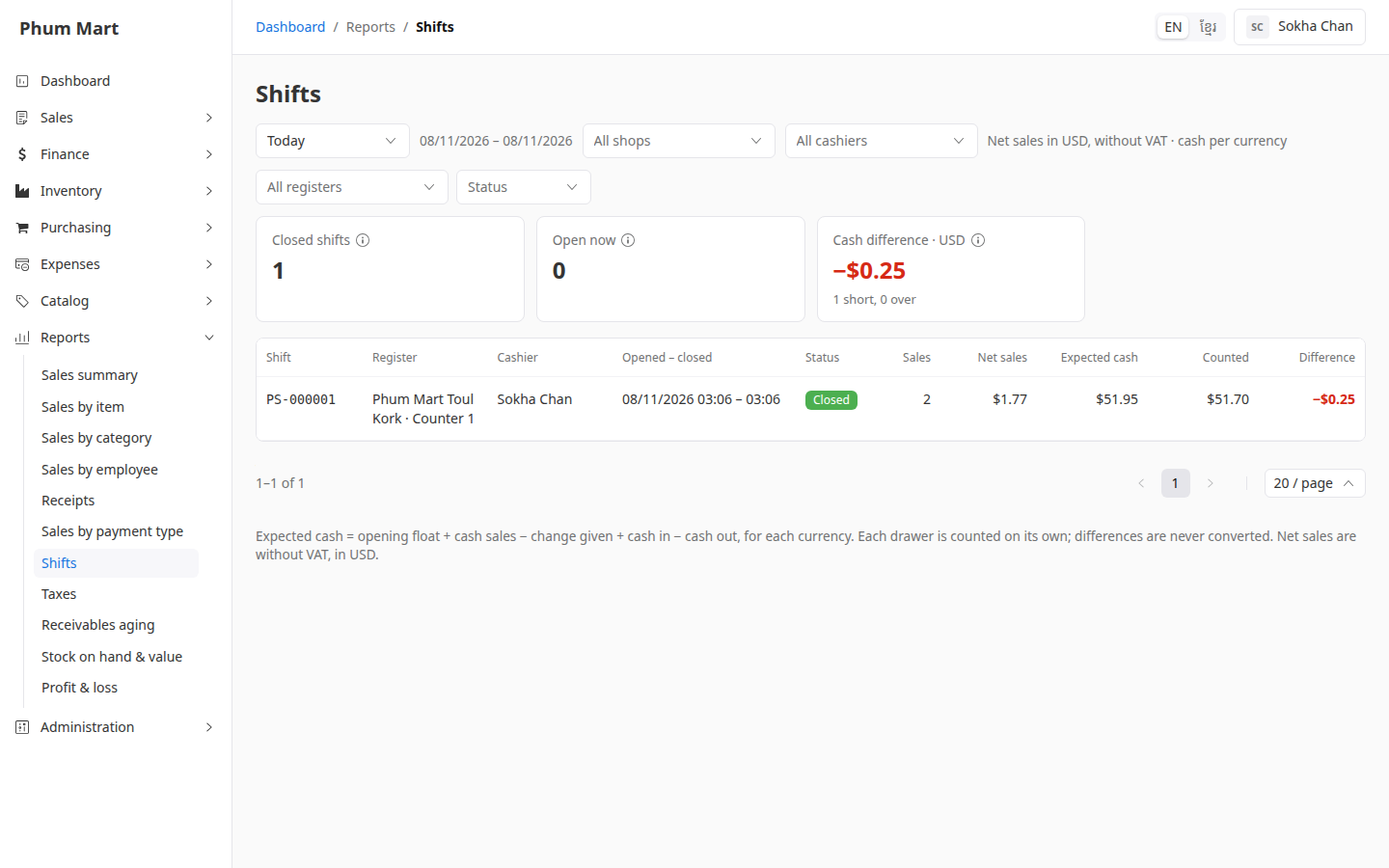
In the table, a negative Difference in red means cash was missing, and a positive one means there was extra.
Click a shift to open its X or Z report. See Follow shifts with X and Z reports.
Having trouble?
- A shift shows as Open from an earlier day: the cashier forgot to close it. See Close a forgotten shift.
- There are no shifts: no shift was opened in the period, or your business doesn't use the POS app.