Appearance
Return goods to a supplier
You can return goods that have been received on a purchase. They leave the purchase's shop at once. The purchase keeps a record of each return.
Who can do this: Anyone whose role can edit purchases, such as a Purchaser or Warehouse staff.
Before you start: Some goods on the purchase have been received.
Step by step
Open the purchase and click More › Return to supplier.
For each line, see what was Received, Returned already and what you Can return. Enter how many go back in Return now.
Check the Date, and type a Reason, for example "4 bottles arrived broken".
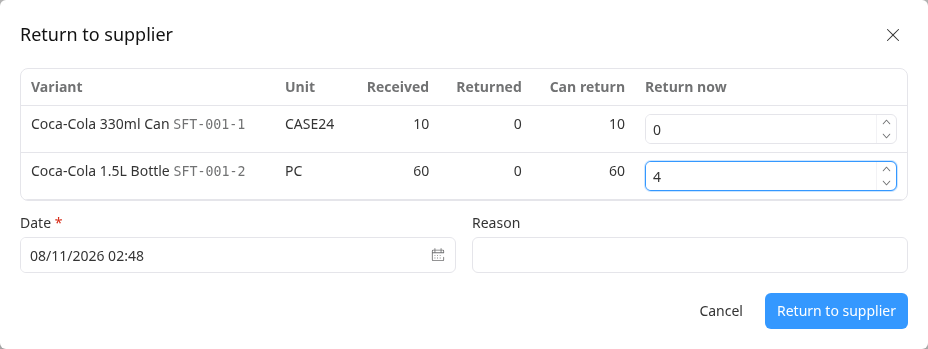
Click Return to supplier. The goods leave stock.
Open the Returns tab to see the return.
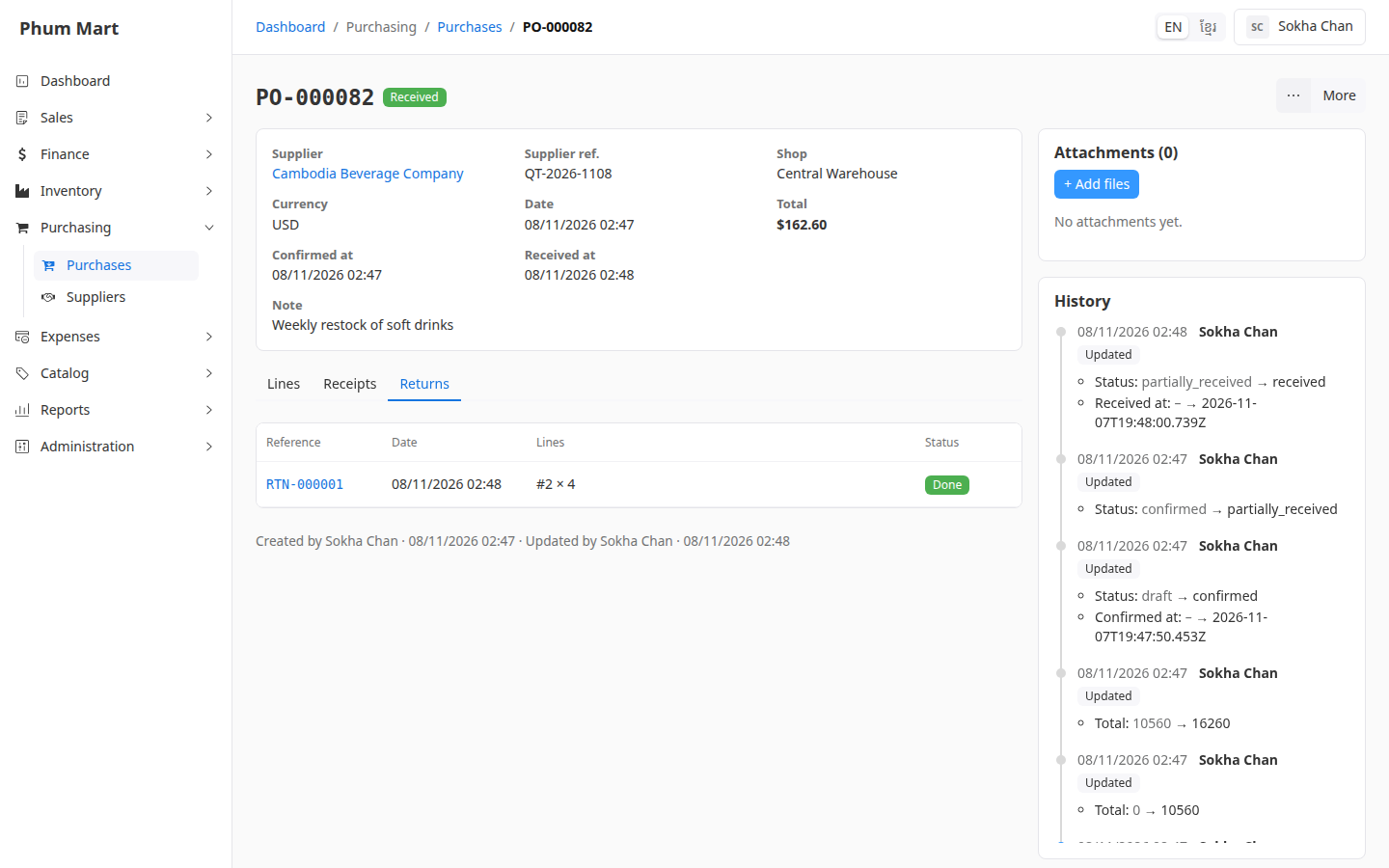
The Lines tab shows how many of each line were Returned.
Having trouble?
- Return to supplier isn't in the More menu: nothing has been received yet. Cancel the purchase instead if you no longer want it.
- A message says items are short of stock: the goods were already sold or moved. You can only return what's still in the shop.
- Money back from the supplier: supplier payments and credits aren't recorded in the app yet.