Appearance
Record an expense
Summary
Record money already spent on running the business, such as a bill or fuel, with a photo of the receipt.
Description
An expense is money that's already been paid out, for running costs like rent, electricity, transport or repairs. Goods you buy to sell are purchases, not expenses.
An expense starts as a draft and only counts in totals and reports once it's posted. Often, staff record expenses as drafts, and the accountant checks and posts them.
Who can do this: Anyone whose role can create expenses.
Step by step
Go to Expenses › Expenses and click New.
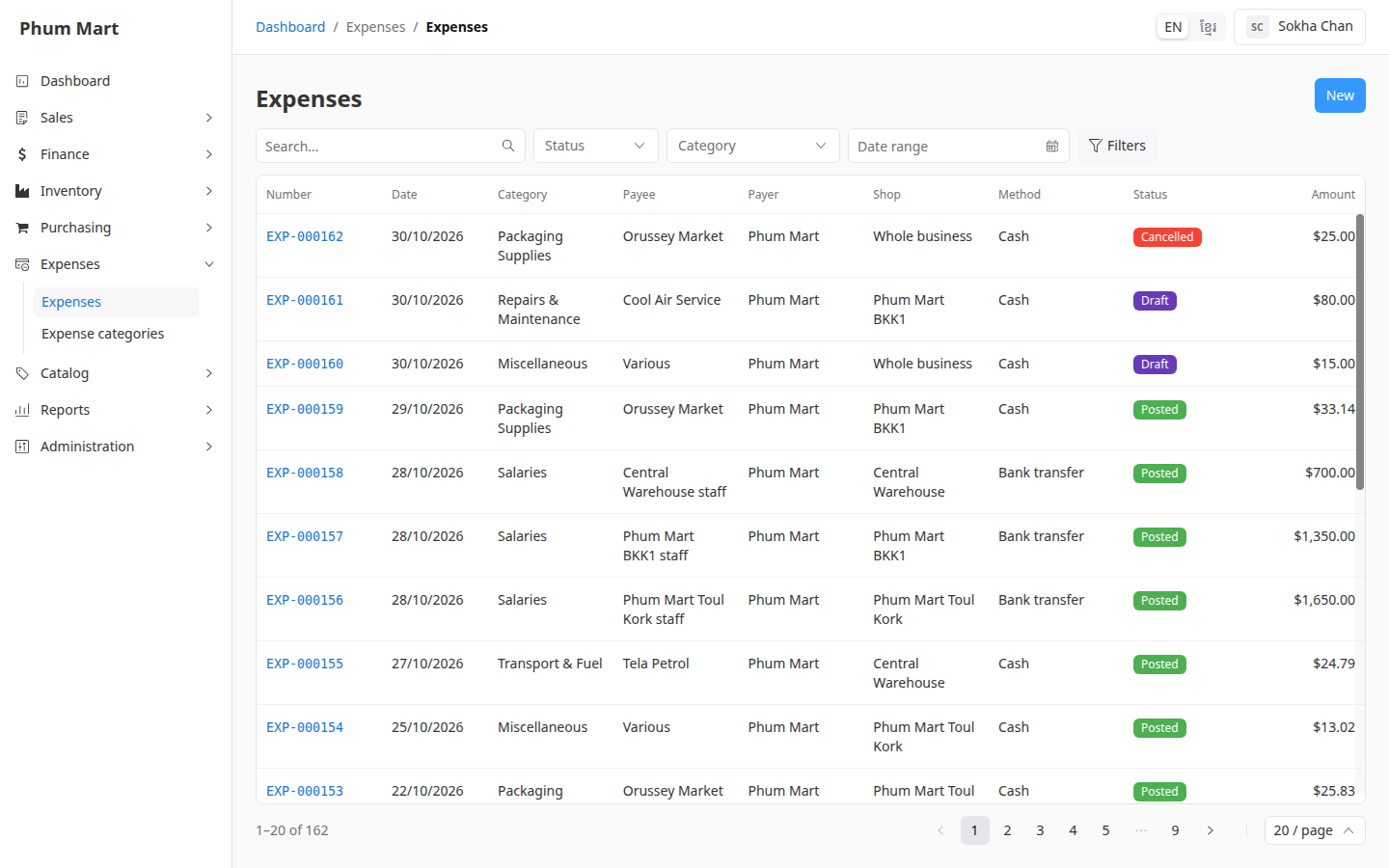
Choose the Category, for example Electricity.
Enter the Amount, and check the Currency and Date.
Choose the Method it was paid with, such as Cash or Bank transfer.
Type the Payee, who was paid (for example EDC), and the Payer, who paid it (for example Company account or a person's name).
Choose the Shop it was for, or leave Whole business for a cost shared by all shops.
Type the Reference, such as the bill number, and a Note if it helps.
Under Receipt, click Choose file to attach a photo of the receipt or bill.
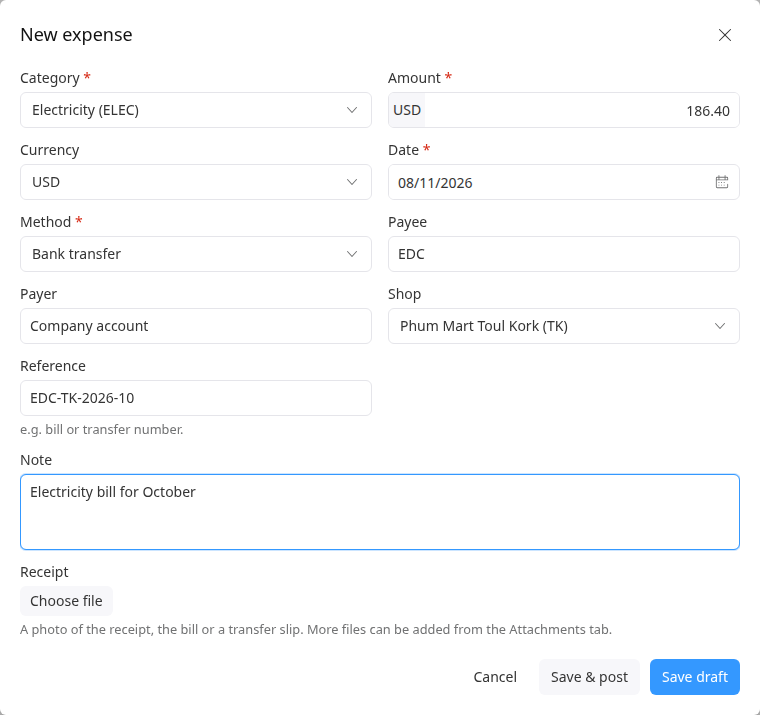
Click Save draft to have it checked, or Save & post if it's ready to count.
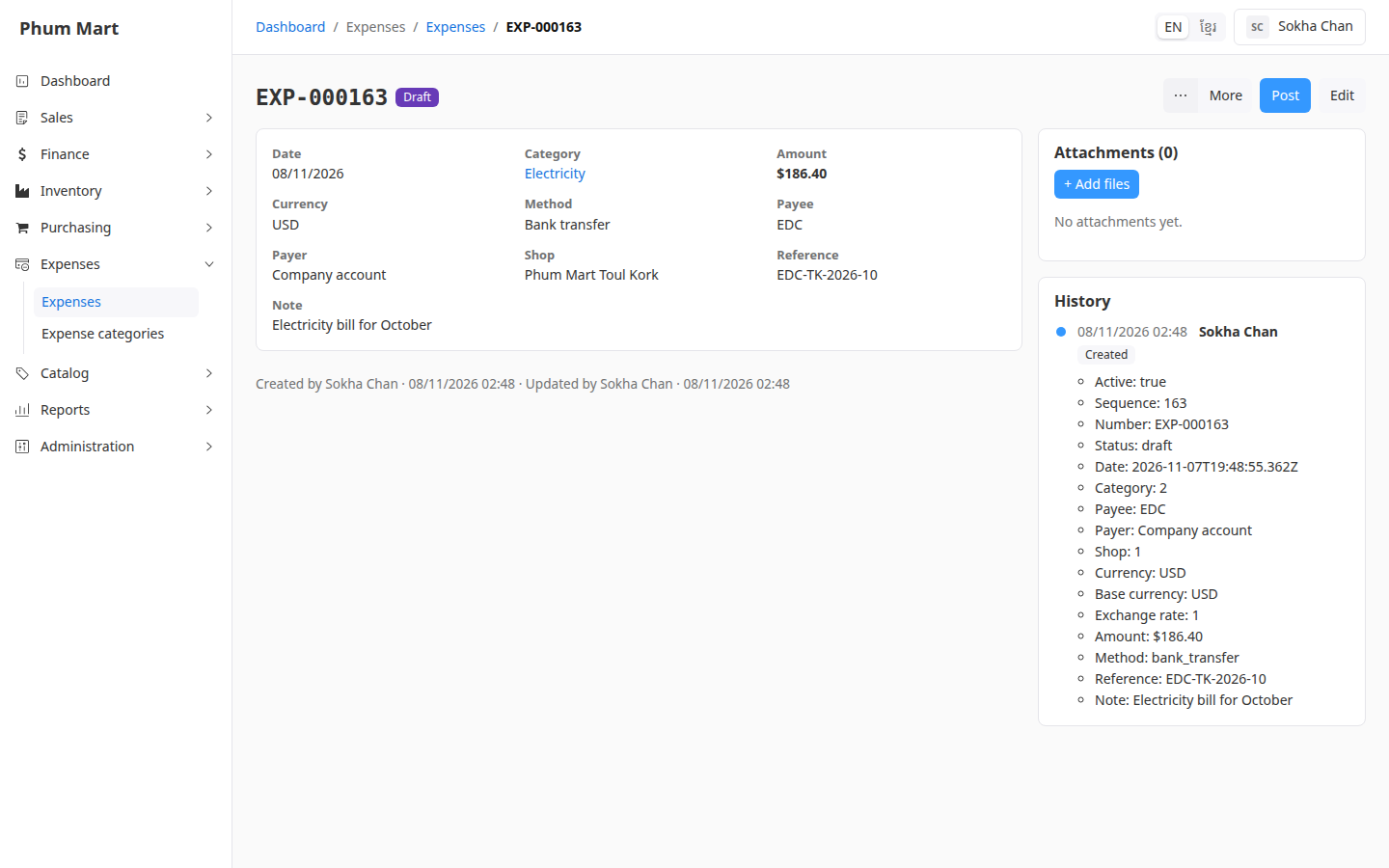
While an expense is a draft, Edit changes every field. Add more files from its Attachments section.
Having trouble?
- Store credit isn't offered as a method: expenses are paid with real money only.
- You entered an expense twice: cancel the extra draft, then delete it. See Void or cancel an expense.