Appearance
Void or cancel an expense
| Status of the expense | What to do |
|---|---|
| Draft | Cancel it, for example when it was entered twice. It can then be deleted |
| Posted | Void it, with a reason. It stays on record but no longer counts |
Void and cancelled expenses keep their attachments.
Who can do this: Anyone whose role can edit expenses, such as an Accountant. Deleting needs permission to delete expenses.
Step by step
Void a posted expense
Open the expense and click More › Void.
Type the Void reason, for example "Entered against the wrong shop". It's required.
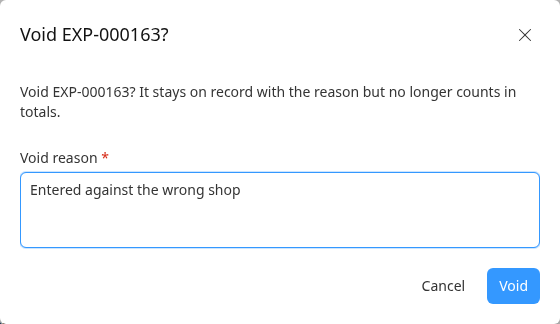
Click Void. The expense shows Void, with "This expense is void. It no longer counts in totals." and the reason.
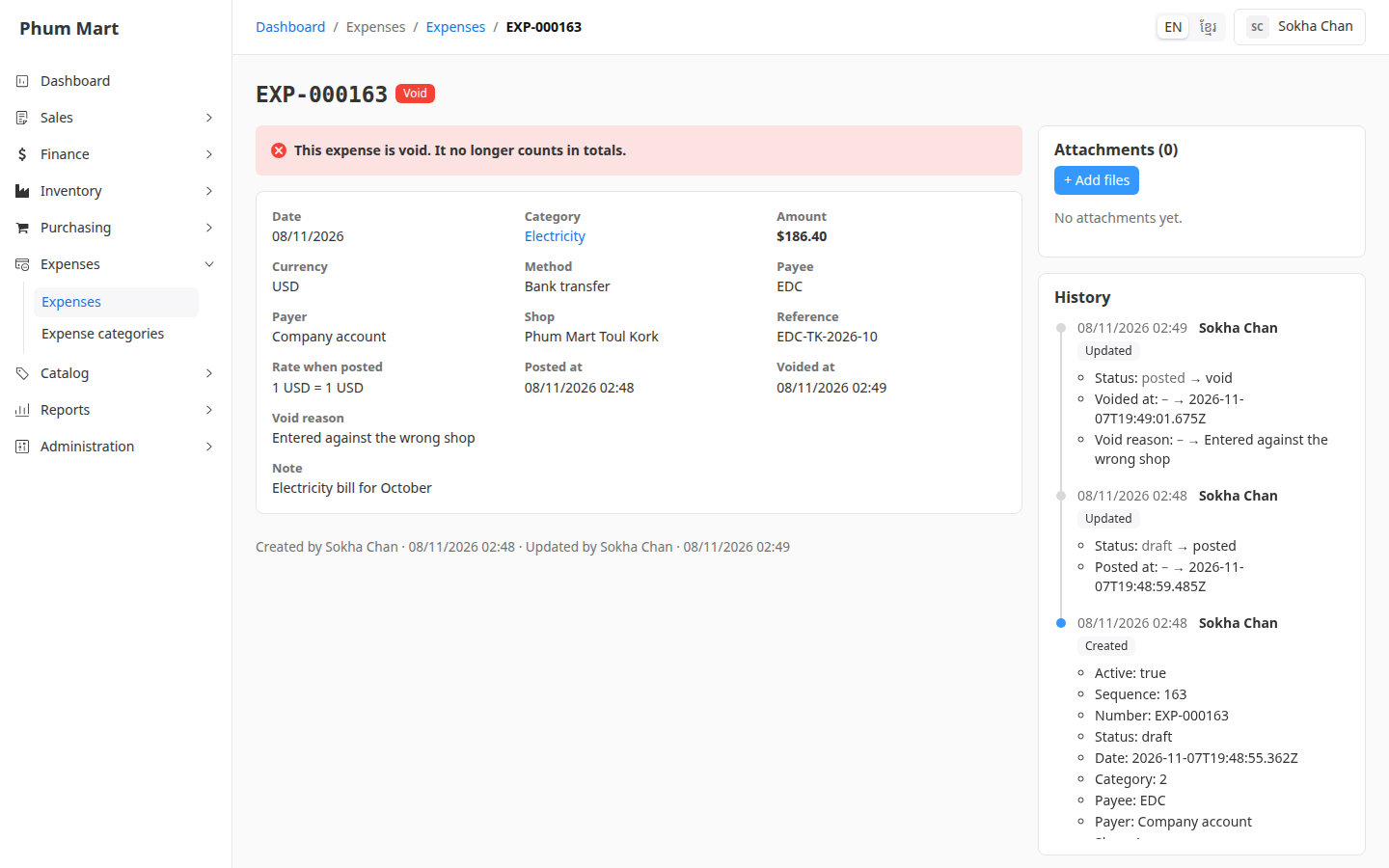
If the expense was real but wrong, record it again with the right details.
Cancel a draft
Open the draft expense and click More › Cancel expense. The message says it's for an expense entered by mistake.
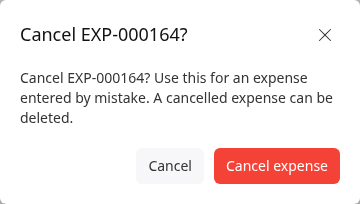
Confirm. The status is Cancelled.
To remove it completely, click More › Delete and confirm.
You can also delete a draft straight away with More › Delete.
Having trouble?
- Void isn't in the More menu: the expense is still a draft. Cancel it instead.
- There's no Cancel expense: the expense is posted. Void it instead.