Appearance
Profit and loss
Profit & loss puts sales and expenses together:
| Line | Meaning |
|---|---|
| Net sales | As in the Sales summary |
| Cost of goods | What the goods sold cost you |
| Gross profit | Net sales − cost of goods |
| Expenses | Your posted expenses in the period, by category |
| Net profit | Gross profit − expenses |
Everything is without VAT. It doesn't include depreciation, loan interest or profit tax, so it isn't a full accounting statement.
Who can do this: Anyone whose role has the Financial reports permission.
Step by step
Go to Reports › Profit & loss, and choose the period and shop.
Read the tiles: Net sales, Gross profit, Expenses and Net profit, each with its change against the previous period.
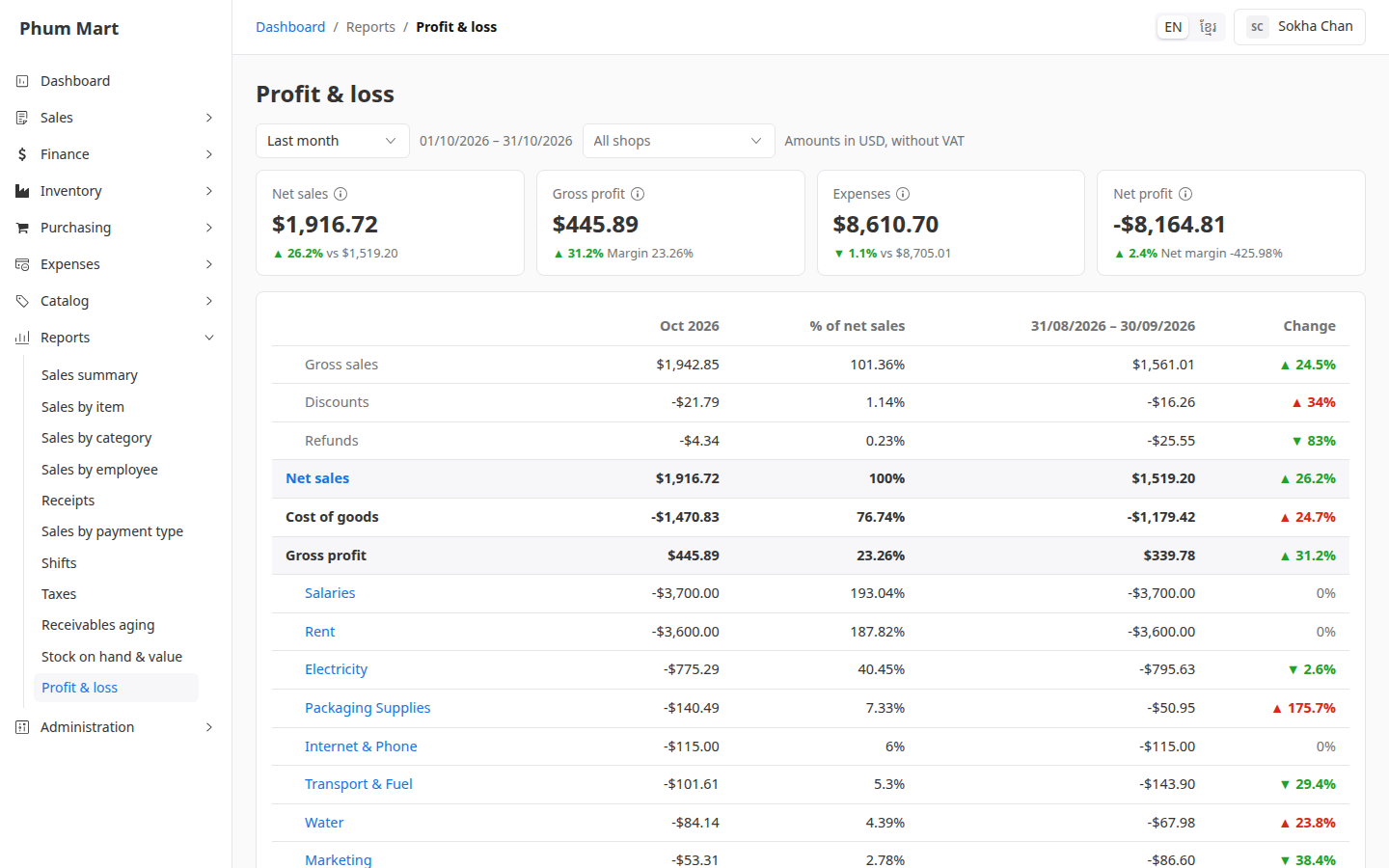
Read the statement. Each line shows this period, its % of net sales, the previous period, and the Change: green when it's better, red when it's worse.
Scroll down for each expense category, Total expenses, Net profit, and the Gross margin and Net margin.
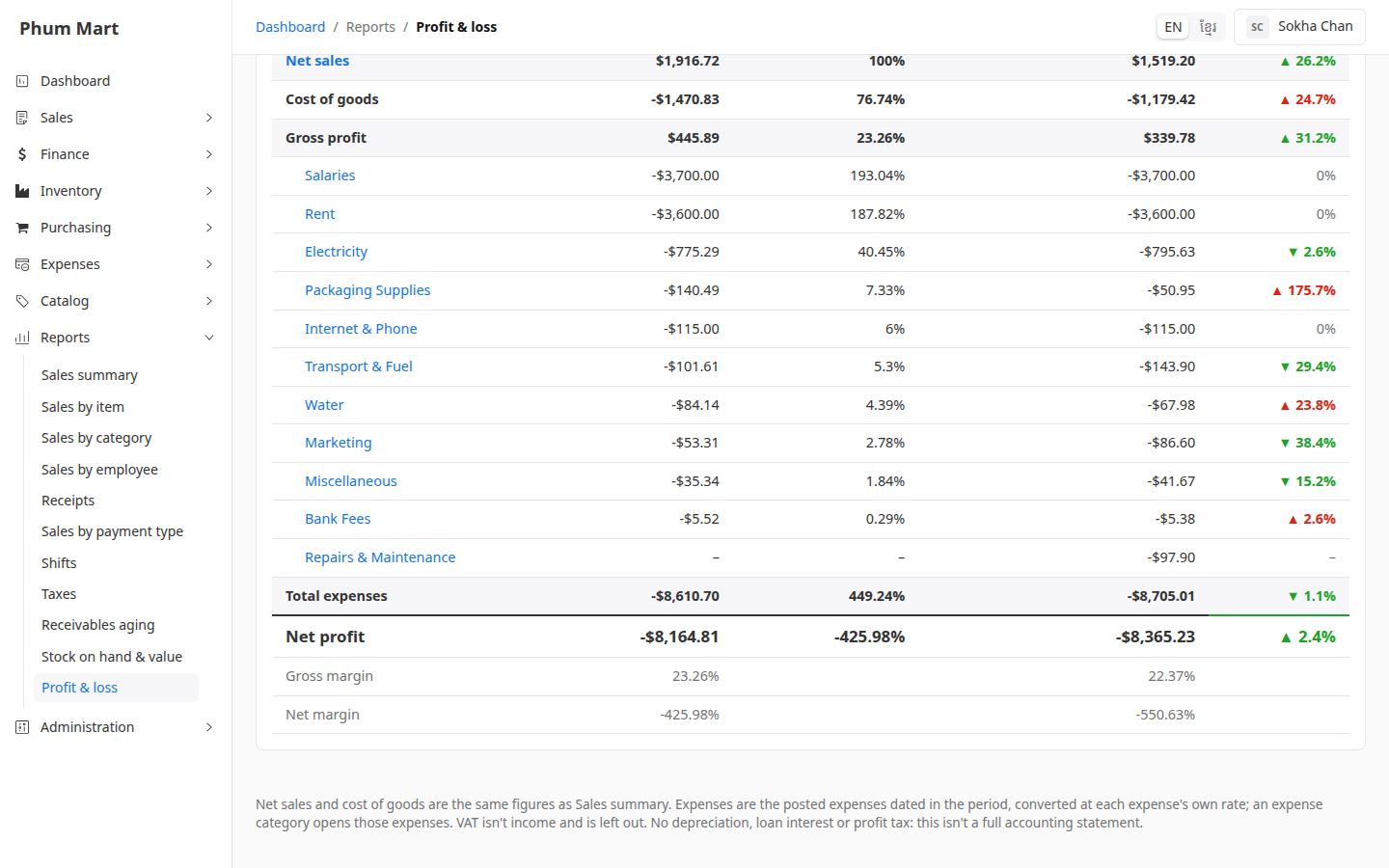
Click Net sales to open the sales summary, or an expense category to open those expenses.
Having trouble?
- An expense is missing: only posted expenses count. Drafts, cancelled and void expenses don't. See Check and post an expense.
- With one shop chosen, expenses look low: expenses for the Whole business aren't given to any shop. The note under the statement says how much is left out.
- Profit looks too high: some variants may have no cost. See the warning, and add their costs.