Appearance
Create a combo product
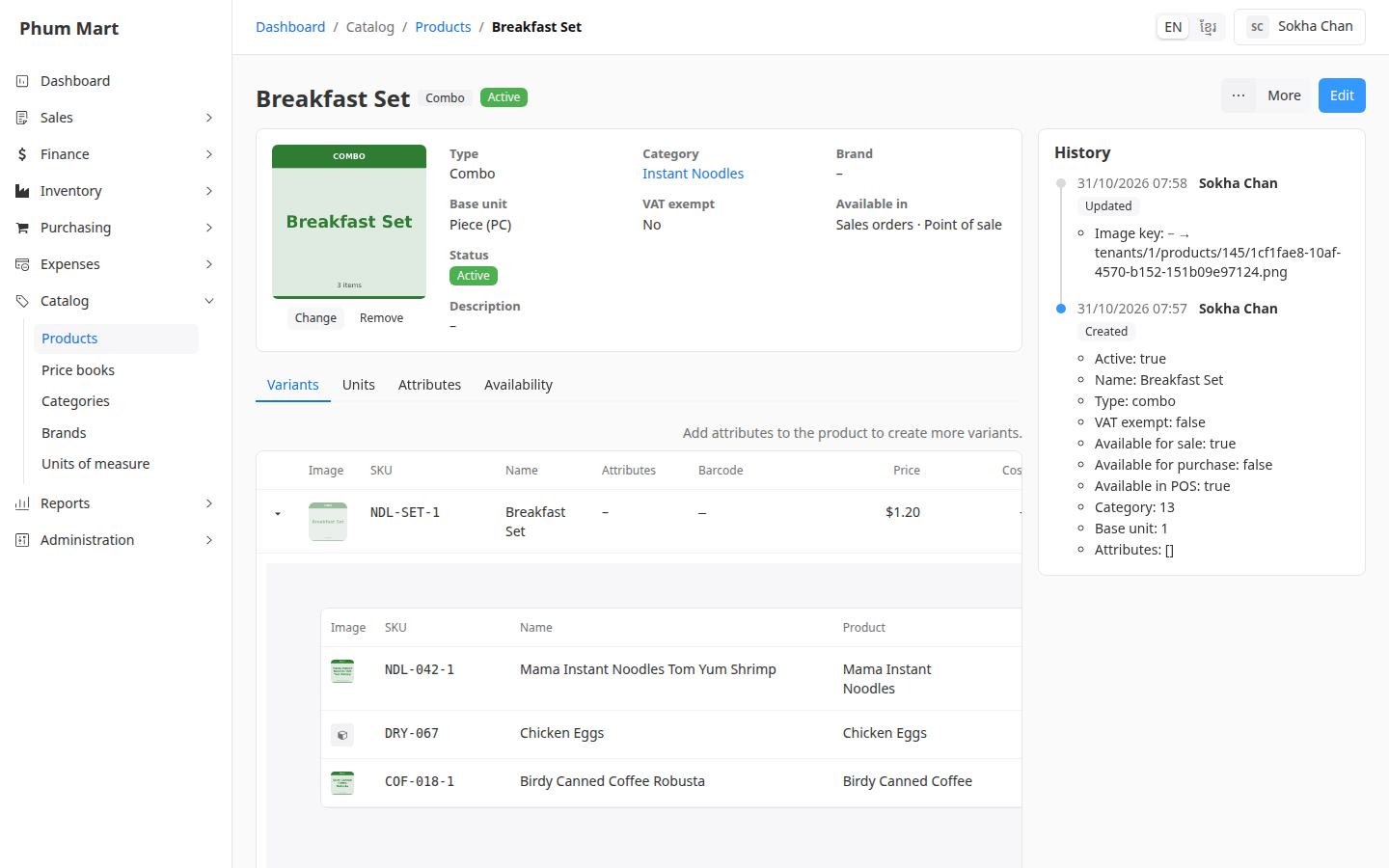
A combo is a product of type Combo. Its variant has its own price, and a list of components: the other variants inside it, with a quantity of each. For example, a Breakfast Set is 1 pack of noodles, 2 eggs and 1 canned coffee.
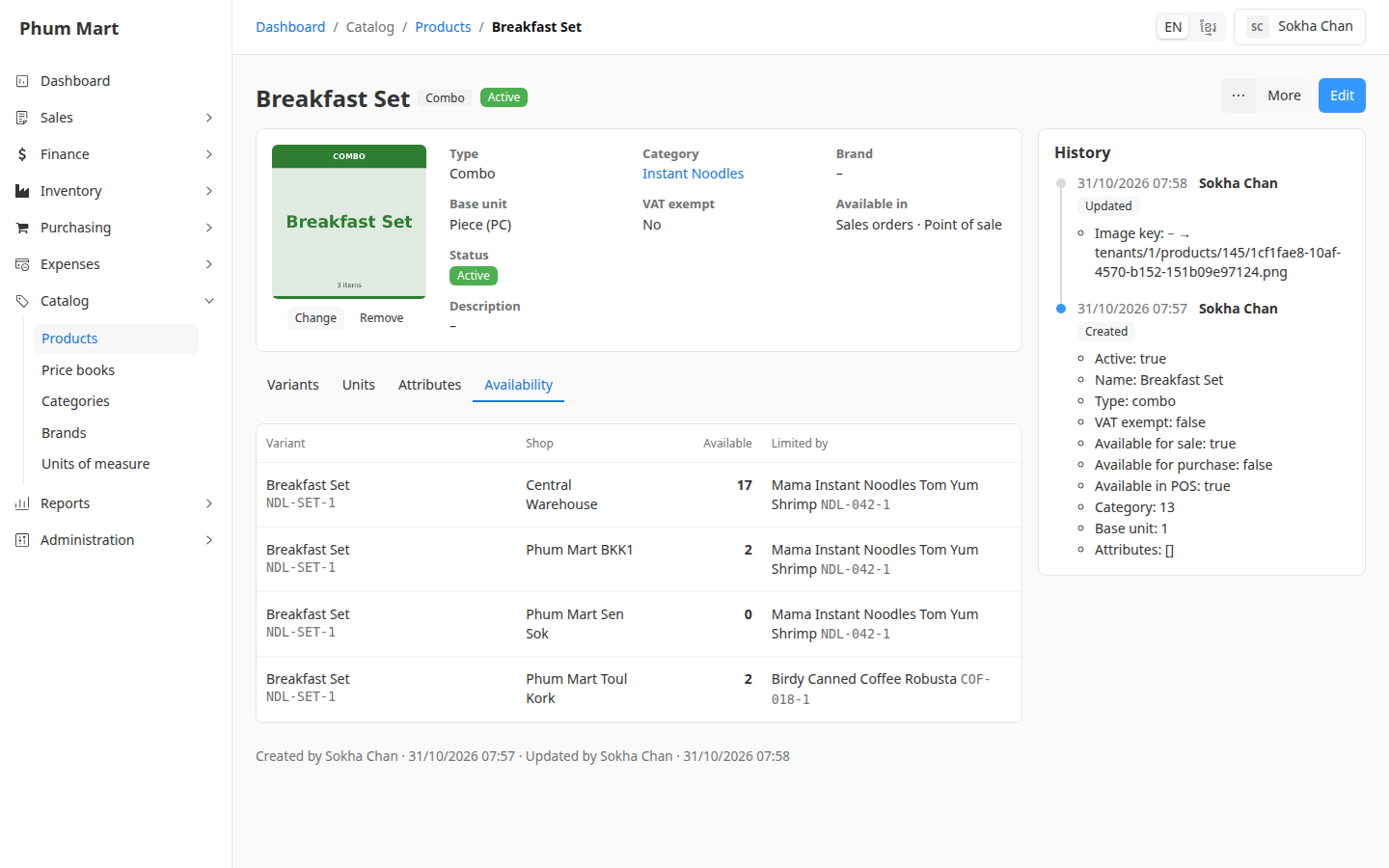
A combo has no stock of its own. When it's sold, its components leave stock. Its Availability tab shows how many sets each shop can make from the components it has.
Who can do this: Anyone whose role can create and edit products, such as a Catalog manager.
Before you start: The component products and their variants exist.
Step by step
Create a product with Type set to Combo. Combos can't be purchased, so Purchases is off.
On its Variants tab, add its variant with the combo's price. Until it has components, it shows "No components: can't be sold".
Click the arrow at the start of the variant's row to show its components, then click Add component.
Choose the component's Variant, its Unit, and the Quantity one combo contains.
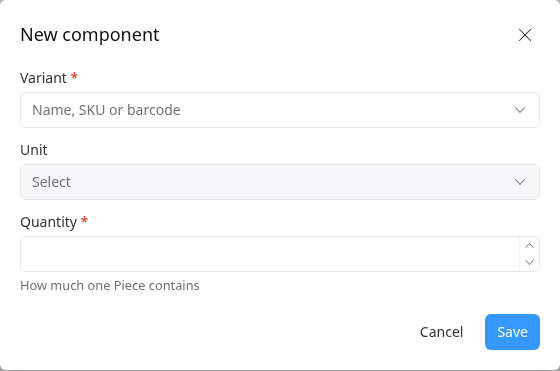
Click Save, and add the other components the same way.
Open the Availability tab. For each shop, it shows how many combos can be made, and which component runs out first under Limited by.
To change a component's quantity, click ⋯ on its row and choose Edit. To use another variant instead, remove the component and add a new one. Orders already confirmed keep the components they had.
Having trouble?
- A product isn't offered as a component: combos can't contain other combos, and the product must be active.
- Availability shows 0: the shop is out of at least one component. Limited by names it.