Appearance
Taxes
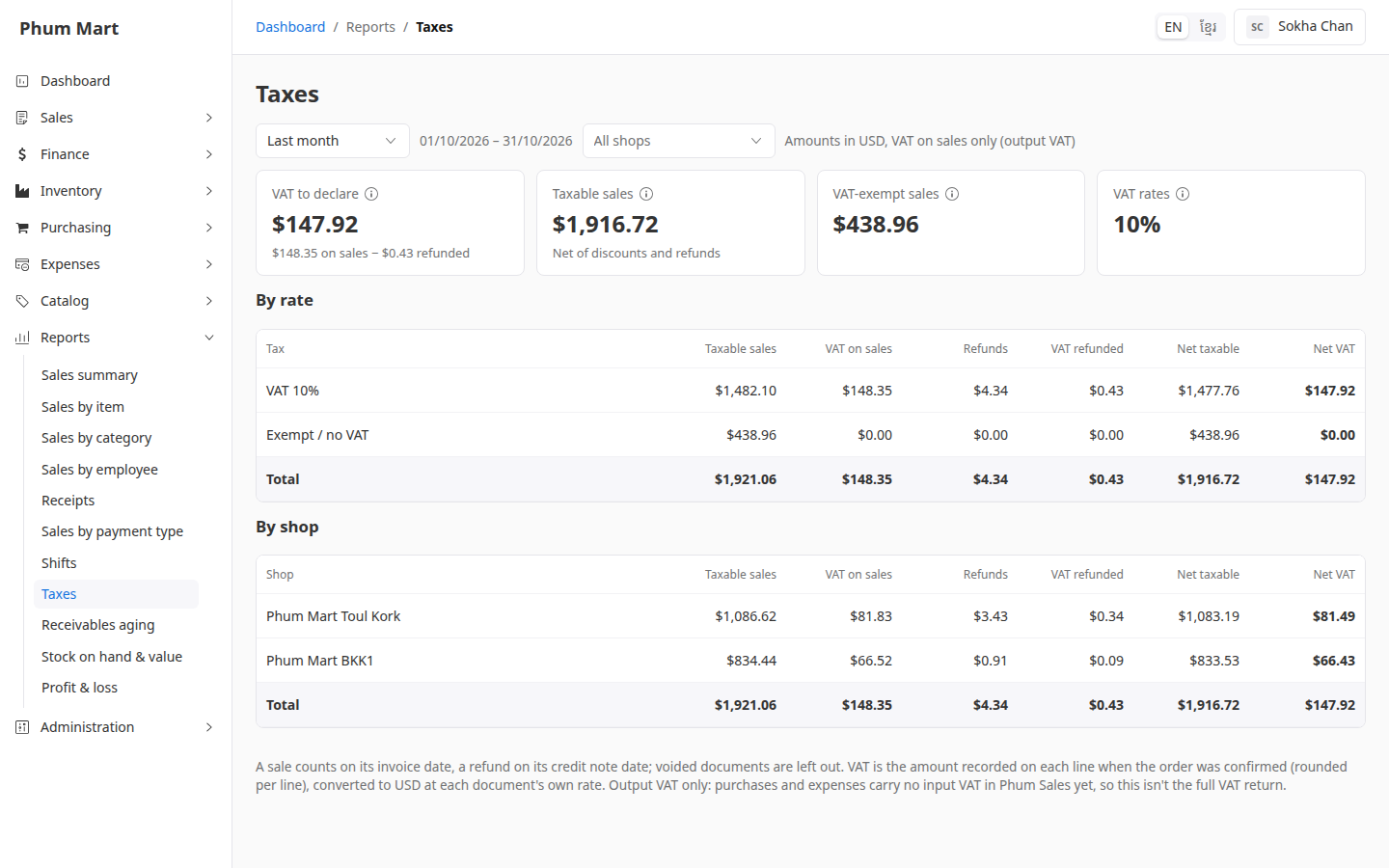
This report shows the VAT on sales (output VAT), less the VAT on returns:
| Tile | Meaning |
|---|---|
| VAT to declare | VAT on sales − VAT refunded on returns |
| Taxable sales | Net sales, after discounts and returns, without VAT |
| VAT-exempt sales | Sales of products with no VAT |
| VAT rates | The VAT rates used in the period |
It doesn't include VAT on purchases or expenses, which the app doesn't record yet, so it isn't a full VAT return.
Who can do this: Anyone whose role has the Sales reports permission.
Step by step
Go to Reports › Taxes, and choose the period, usually Last month.
Read VAT to declare.
Check the breakdown By rate, such as VAT 10% and Exempt, and By shop. Both Total rows give the same VAT.
Having trouble?
- A sale shows as "Exempt / no VAT" but had VAT: it was made before the app recorded VAT per line. Ask your administrator to have the sales figures rebuilt.
- The VAT differs a little from your own sum: VAT is rounded on each line when the order is confirmed.
Related
- Sales summary
- Manage products and where they're available: VAT-exempt products