Appearance
Exchange items with store credit
There's no separate exchange document. An exchange is two steps:
- A return settled as store credit: the value of the returned goods goes on the customer's credit.
- A new order for what they take instead, paid with that store credit, plus another payment for any difference.
Store credit is kept per customer and per currency, and never expires. Walk-in customers can't hold store credit, so give them a refund instead.
Who can do this: Anyone who can create credit notes, orders and payments, such as Sales staff.
Before you start: The customer must be a named customer, not the walk-in customer.
Step by step
1. Take the goods back as store credit
Open the original order and click More › Return items.
Enter the quantity that comes back in Return, and type a Reason, for example "Exchanged for 1.5L bottles".
Set Settlement to Store credit. The refund fields disappear.
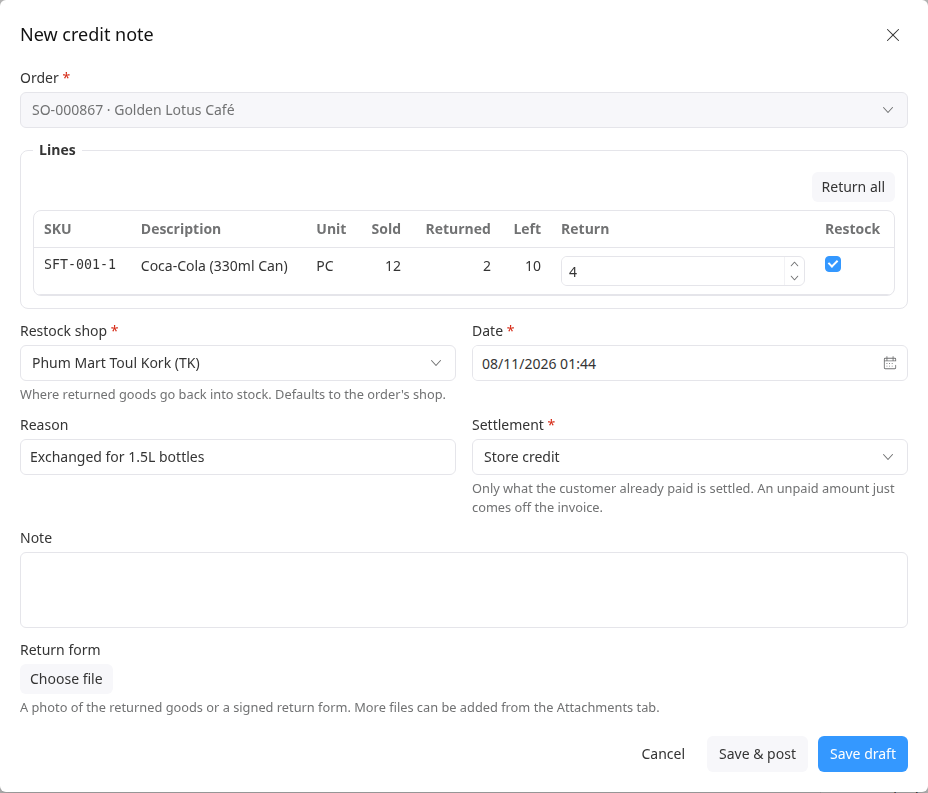
Click Save & post. The totals show Already paid · added to store credit.
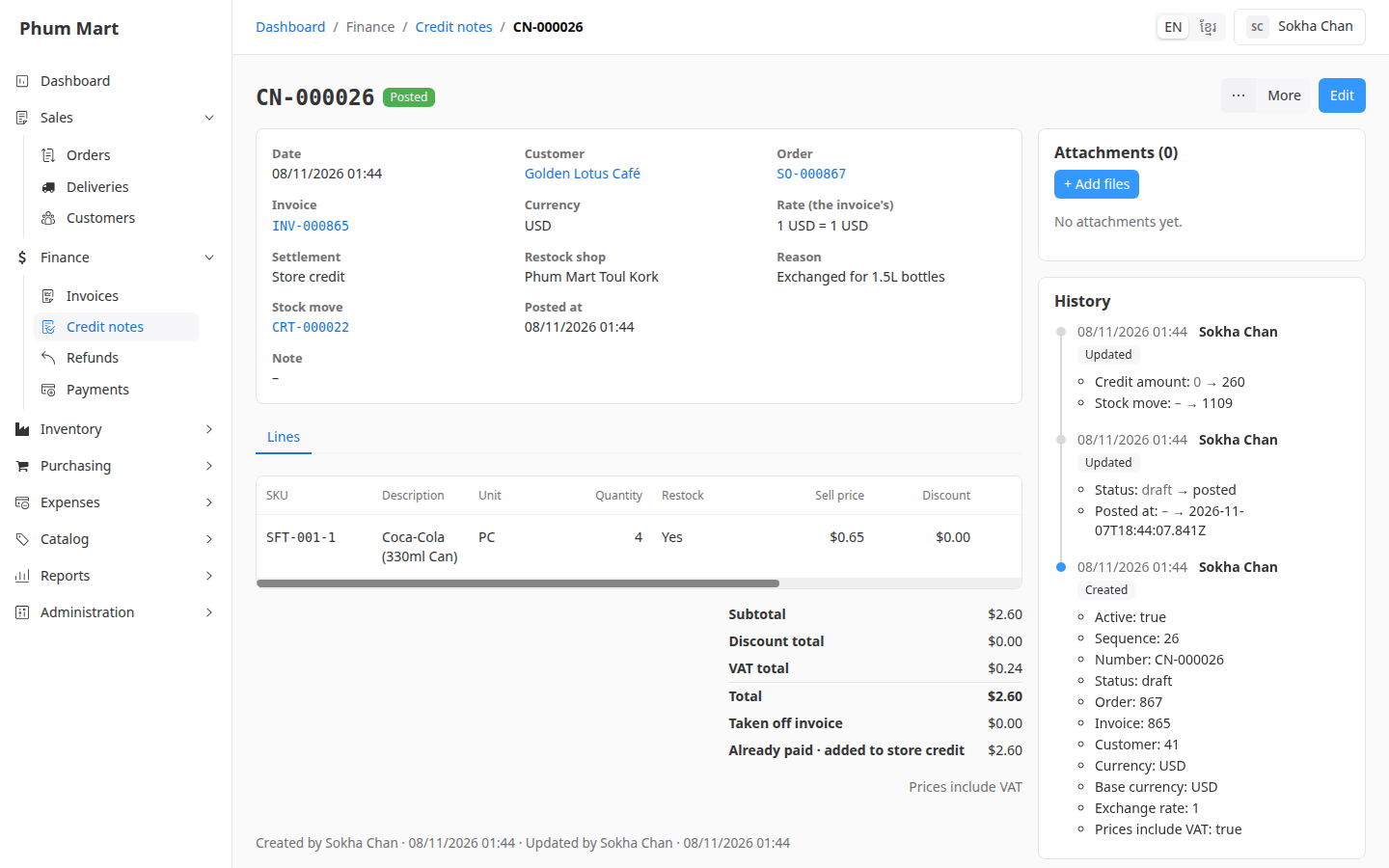
2. Sell the new goods
- Create an order for the same customer, add the new goods, and confirm it.
- Click More › Take payment, set Method to Store credit, and save and confirm. See Use or pay out store credit.
- If the new goods cost more than the credit, take a second payment for the difference, for example in Cash.
If the new goods cost less, the rest stays on the customer's store credit for next time, or you can pay it out.
Having trouble?
- Store credit can't be chosen as the settlement: the order is for the walk-in customer. Settle with Refund instead.
- Store credit isn't offered as a payment method, or shows no credit: the store credit is in another currency than the new invoice, or it was already used.