Appearance
Add a shop
Summary
Add a store or warehouse where you keep stock and sell from.
Description
A shop is any place that holds stock: a store, a market stall or a warehouse. Every order, purchase and stock move belongs to a shop, and stock is counted per shop. One shop is the default, which new documents start with.
Who can do this: Anyone whose role can create shops, usually an Administrator.
Step by step
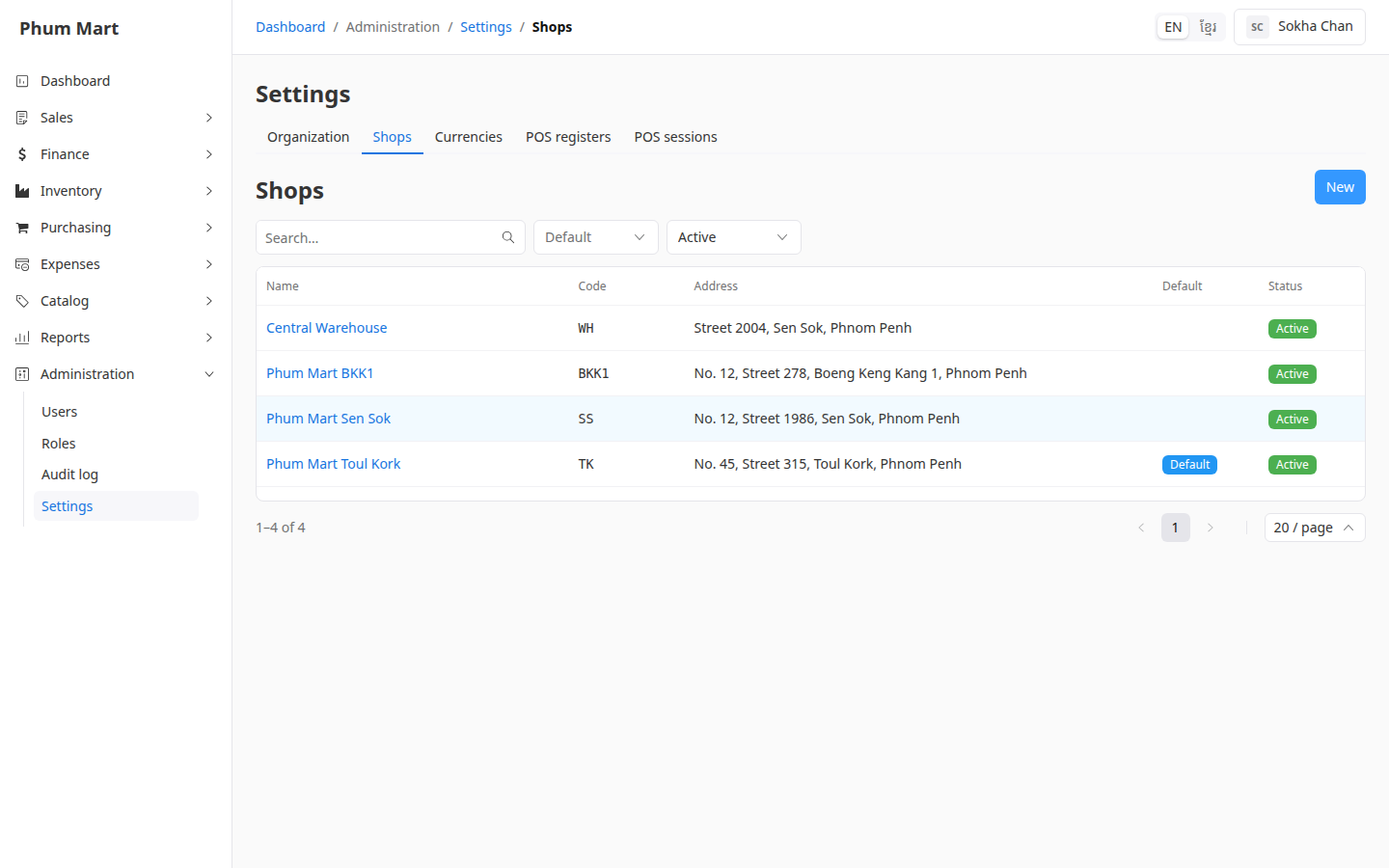
Go to Administration › Settings and open the Shops tab. It lists your shops, with a Default badge on the default one.
Click New.
Enter the shop's Name and a short Code, for example
SS. The code appears on lists and printouts.Add the Address and a Description if you want. The address is printed on invoices from this shop.
Leave Default off, unless new documents should start with this shop. See Manage shops and choose the default.
To add a photo or logo of the shop, click Choose image under Image.
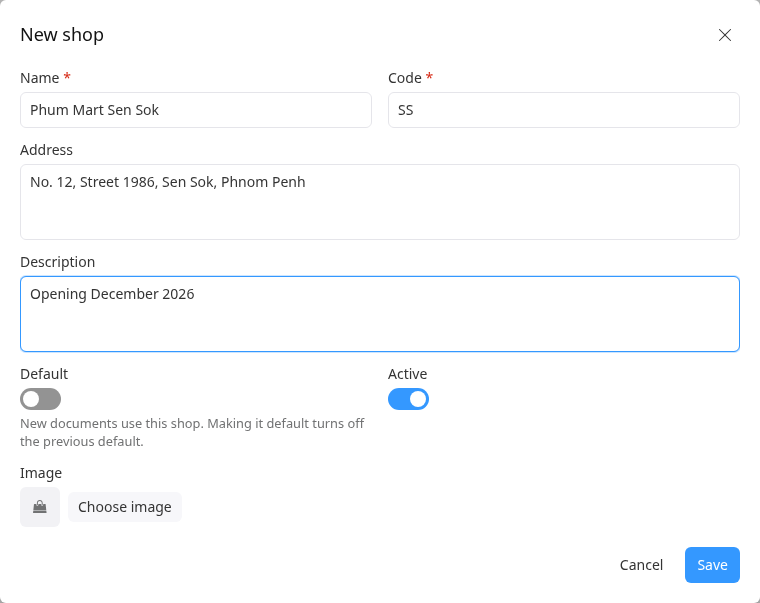
Click Save. The shop appears in the list.
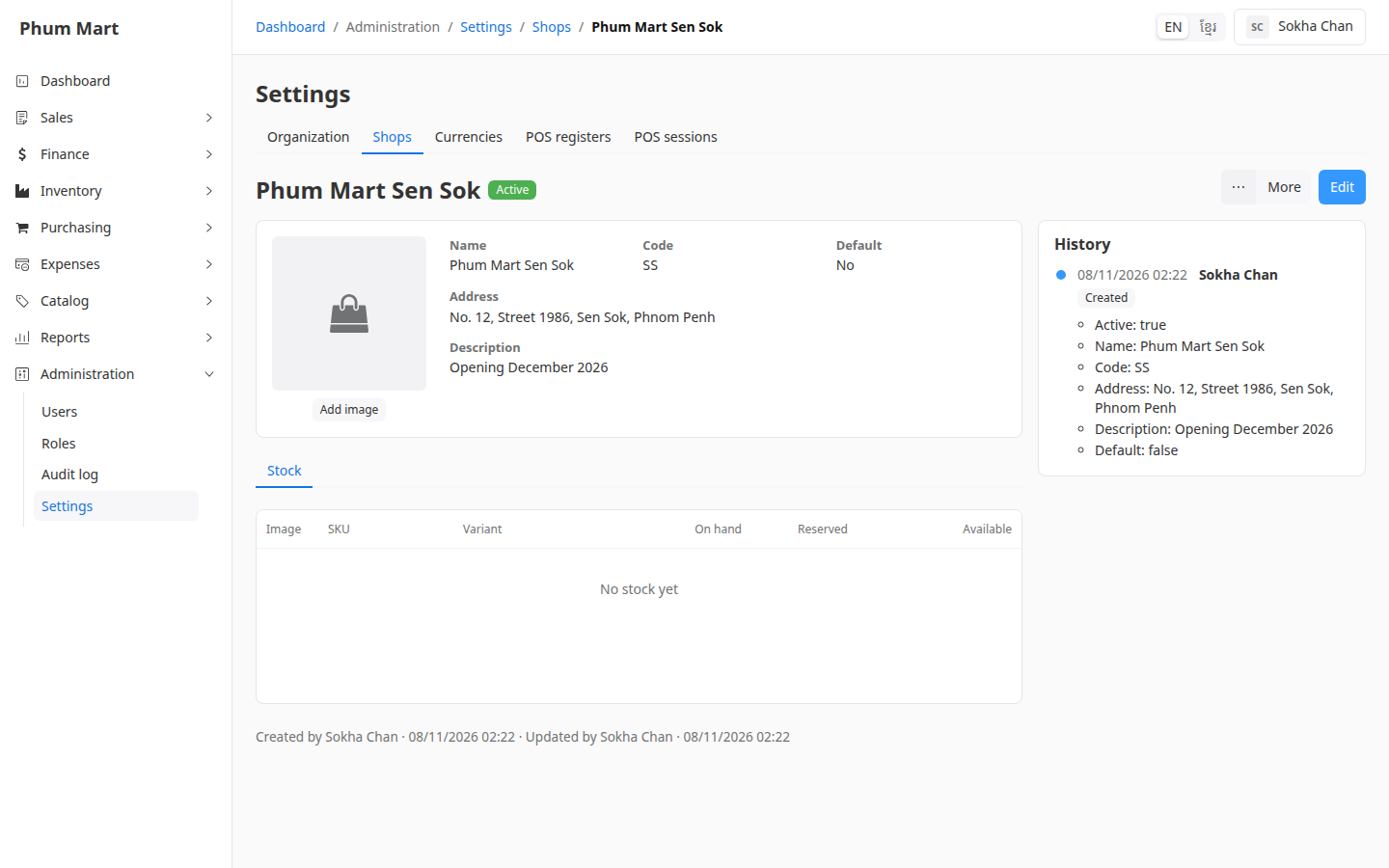
Click a shop to open it. Its Stock tab shows what's in stock there.
Having trouble?
- A message says the code is already used: each shop needs its own code. Choose another.
- The new shop isn't offered on orders or POS registers: check that it's Active.