Appearance
How reports work
Summary
Choose the period, shop and people for any report, and understand what its figures count.
Description
The reports read your sales, payments, stock and expenses. They never change anything. All of them are under Reports in the sidebar:
| Report | Answers |
|---|---|
| Sales summary | How much did we sell, and how does it compare with before? |
| Sales by item | Which products sell most, and which earn least? |
| Sales by category | Which categories bring in the money? |
| Sales by employee | Who sold what? |
| Receipts | Which invoices and returns make up a figure? |
| Sales by payment type | How much came in as cash, card, transfer or wallet? |
| Shifts | Which till drawers were short or over? |
| Taxes | How much VAT do we declare? |
| Receivables aging | Who owes us money, and for how long? |
| Stock on hand & value | What's our stock worth? |
| Profit & loss | Did we make a profit after expenses? |
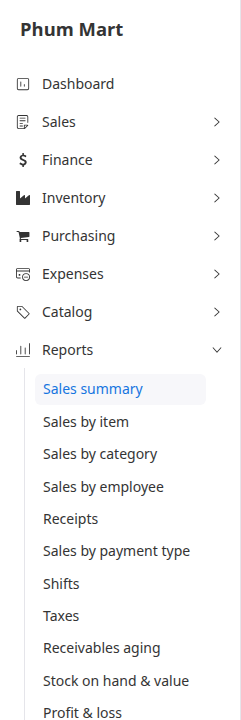
Who can do this: The first eight reports need the Sales reports permission. Receivables aging, Stock on hand & value and Profit & loss need Financial reports. Without them, the reports are greyed out.
Step by step
Open a report from Reports in the sidebar.
Choose the Period: Today, Yesterday, Last 7 days, Last 30 days, This month, Last month, This year, or Custom for your own dates. The dates are shown next to it.
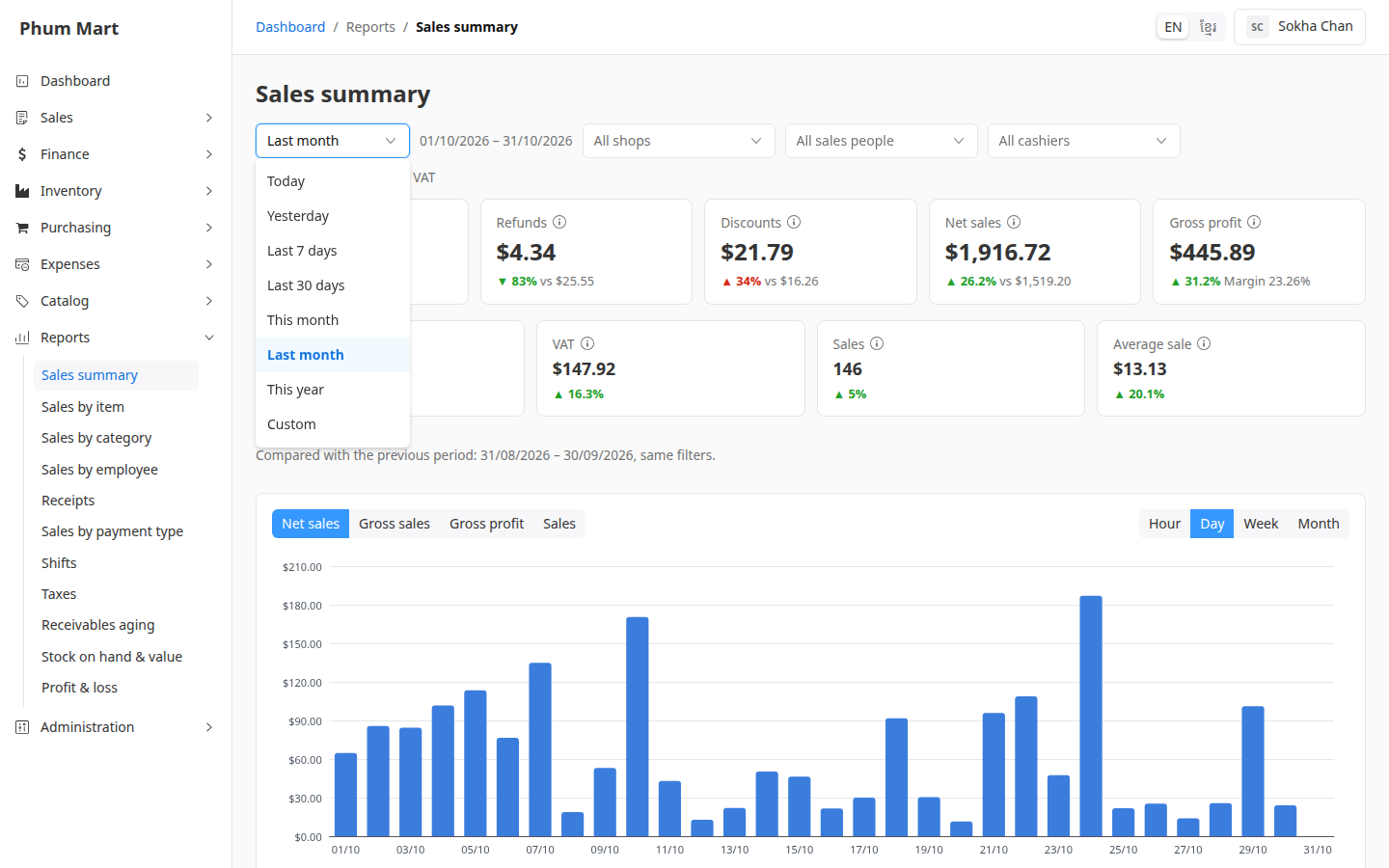
Choose a Shop, or keep All shops.
On the sales reports, you can also choose a Sales person or Cashier.
When you move to another report, it keeps the same period, shop and people. The page address keeps them too, so you can bookmark a report or send the link.
What the figures count
- Amounts are without VAT, in your base currency, unless the report says otherwise. Payments and receivables include VAT, because they're money.
- A sale counts when its order is confirmed, which issues the invoice. Orders with delivery count on confirm, not when delivered. Drafts never count.
- A return counts on the day its credit note is posted.
- Voided invoices, payments and credit notes don't count at all, in any period.
- Days are your business's local days, in its time zone.
Hover over ⓘ next to a figure to see what it means.
Having trouble?
- A report is greyed out: your role doesn't have its permission. Ask your administrator.
- "Choose at most 731 days": a custom period can be up to two years.
- A report doesn't match the dashboard: check the period. The dashboard is always this month.