Appearance
See who changed a record
The app records every change: who made it, when, and the value before and after. You can see it in two places:
- History, on the right of every record's page, for that record only.
- Administration › Audit log, for every record, with filters.
The log can't be changed or deleted.
Who can do this: Anyone whose role can see the audit log, such as an Administrator or Accountant.
Step by step
One record's history
Open the record, for example an order, and look at History on the right. The newest change is at the top. Created at the bottom shows the first values.
Search the audit log
Go to Administration › Audit log. Each row shows the date and time, the user, the action (Created, Updated, Deleted), the record and the fields that changed.
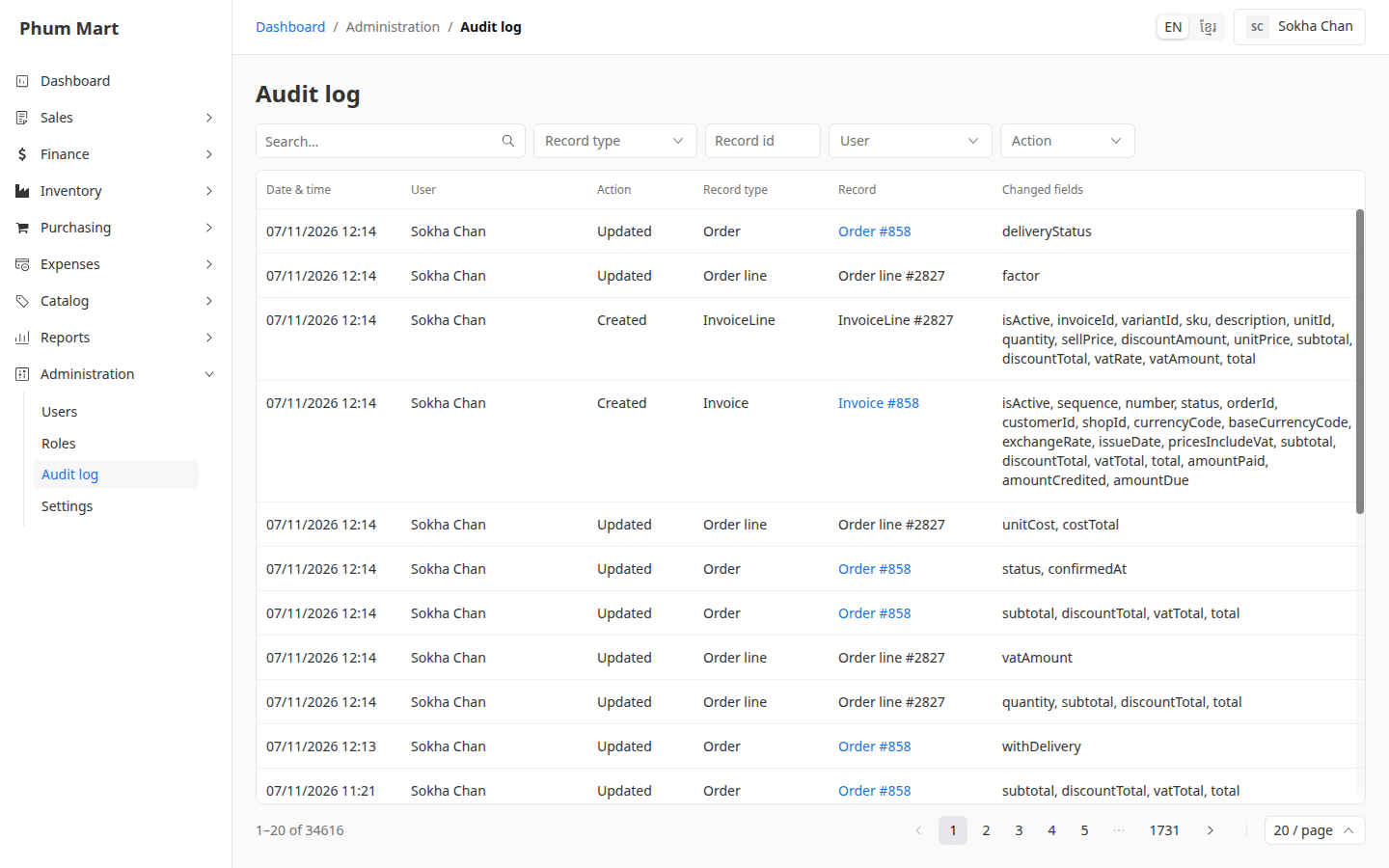
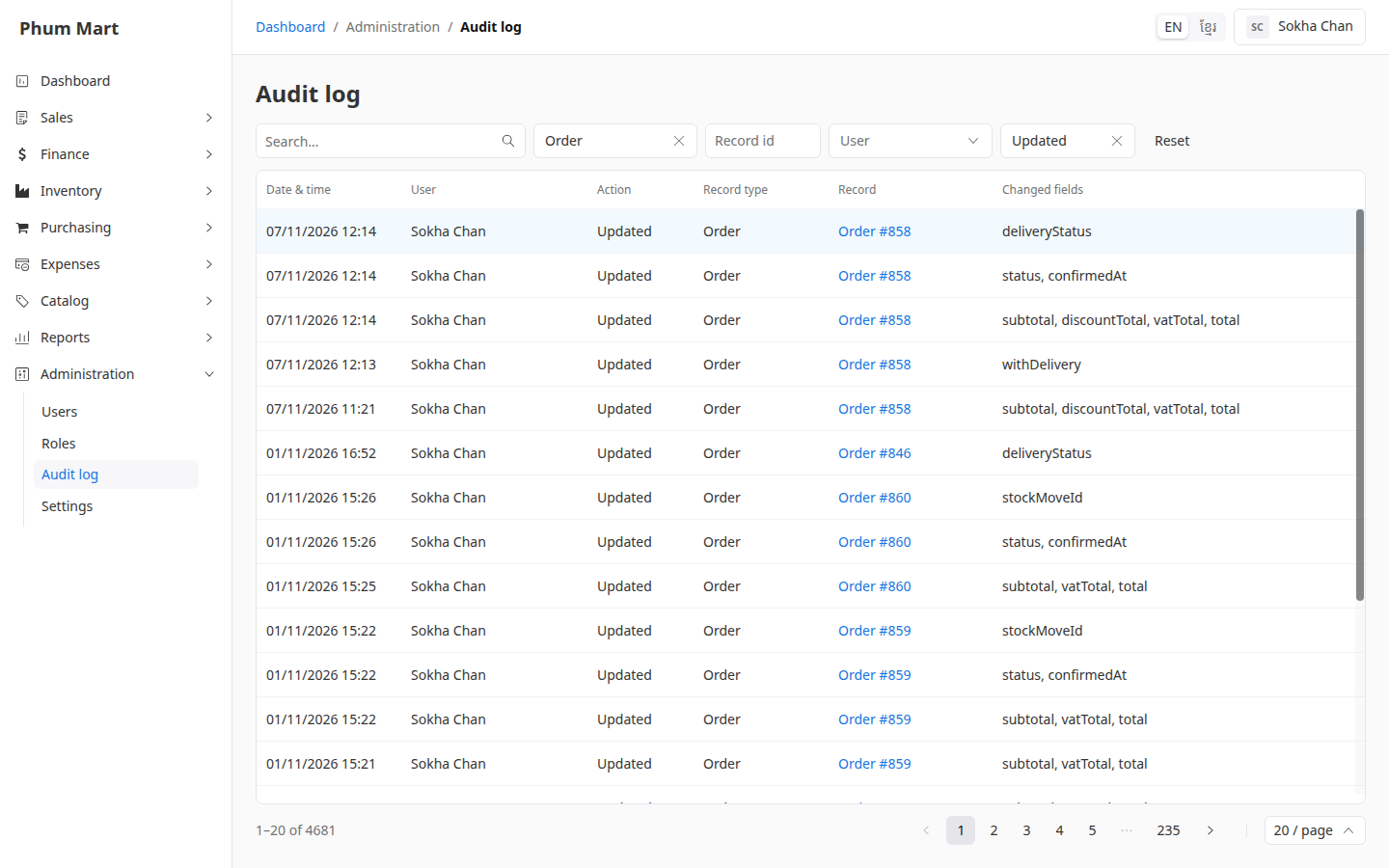
Narrow it down with the filters: Record type, for example Order, Record id, User and Action.
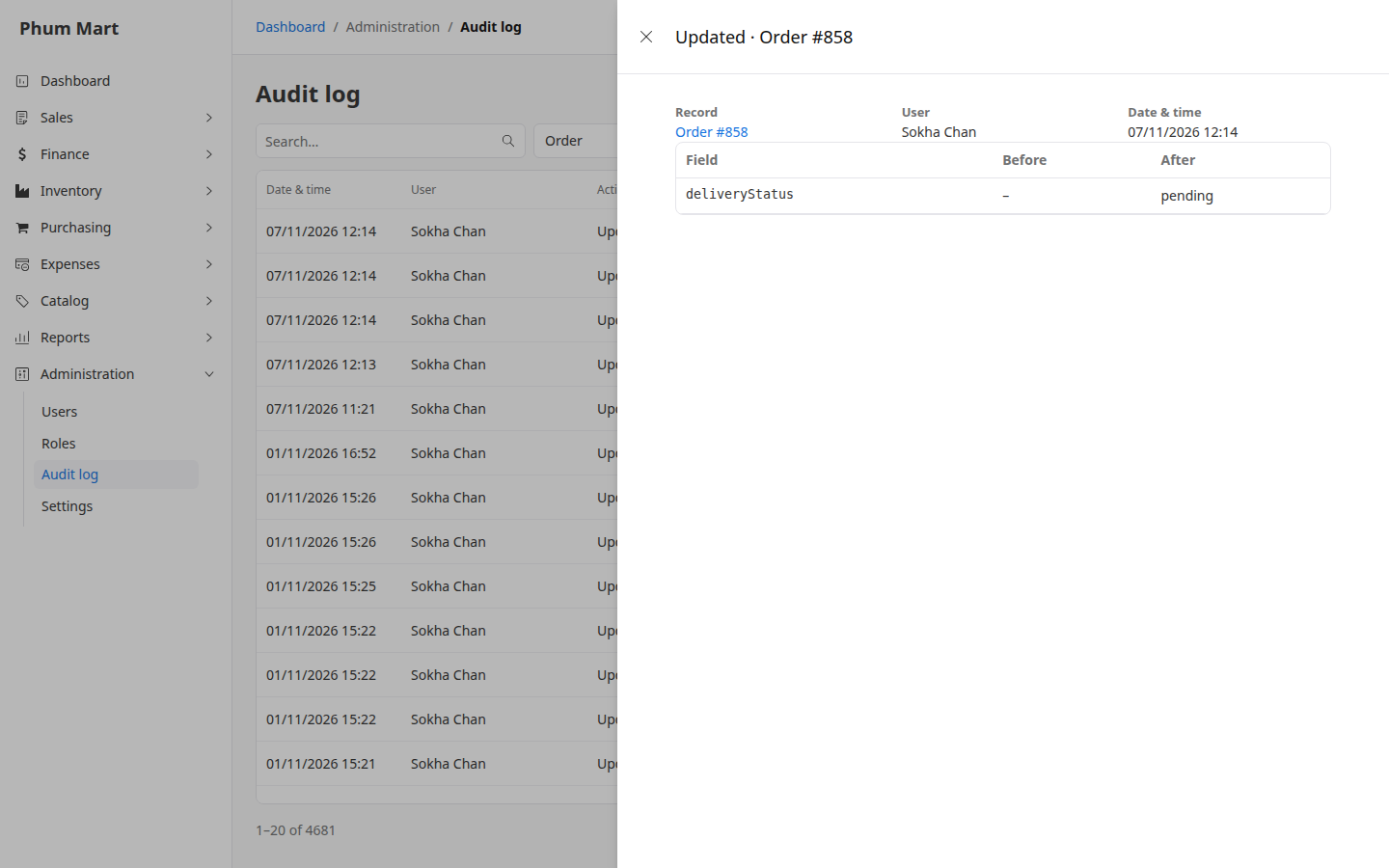
Click a row to see the change: each field with its value Before and After. Click the record to open it.
Having trouble?
- A value shows as a number or code, such as "Customer: 41" or "1560": some fields are stored as ids or in cents. Open the record to see its current values.
- History isn't shown on a record: your role can't see the audit log.