Appearance
Sell a combo product
A combo is a product made of other products, called its components. For example, a Breakfast Set is 1 pack of noodles, 2 eggs and 1 canned coffee. You sell the combo as one line at the combo's price, and the customer's invoice shows that one line.
A combo has no stock of its own. When you confirm the order, its components leave stock (or are reserved for delivery), as if you'd sold them one by one.
Who can do this: Anyone whose role can edit orders, such as Sales staff.
Before you start: The combo exists in Catalog › Products, with its components.
Step by step
Open a draft order and click Add line.
In Variant, type the combo's name. Combos have a purple Combo badge.
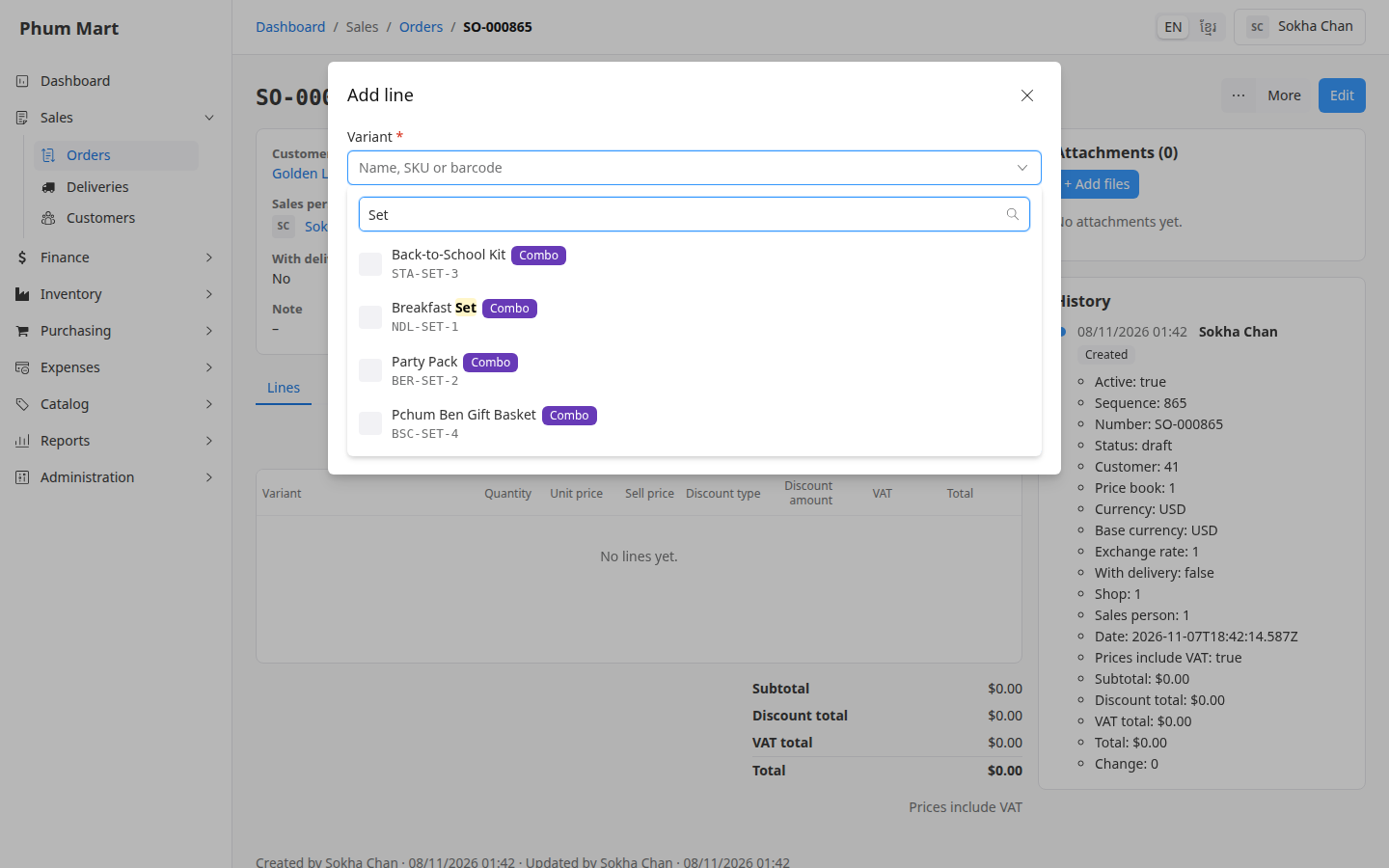
Pick the combo, enter the Quantity and click Save. The order shows one line at the combo's price.
Confirm the order as usual.
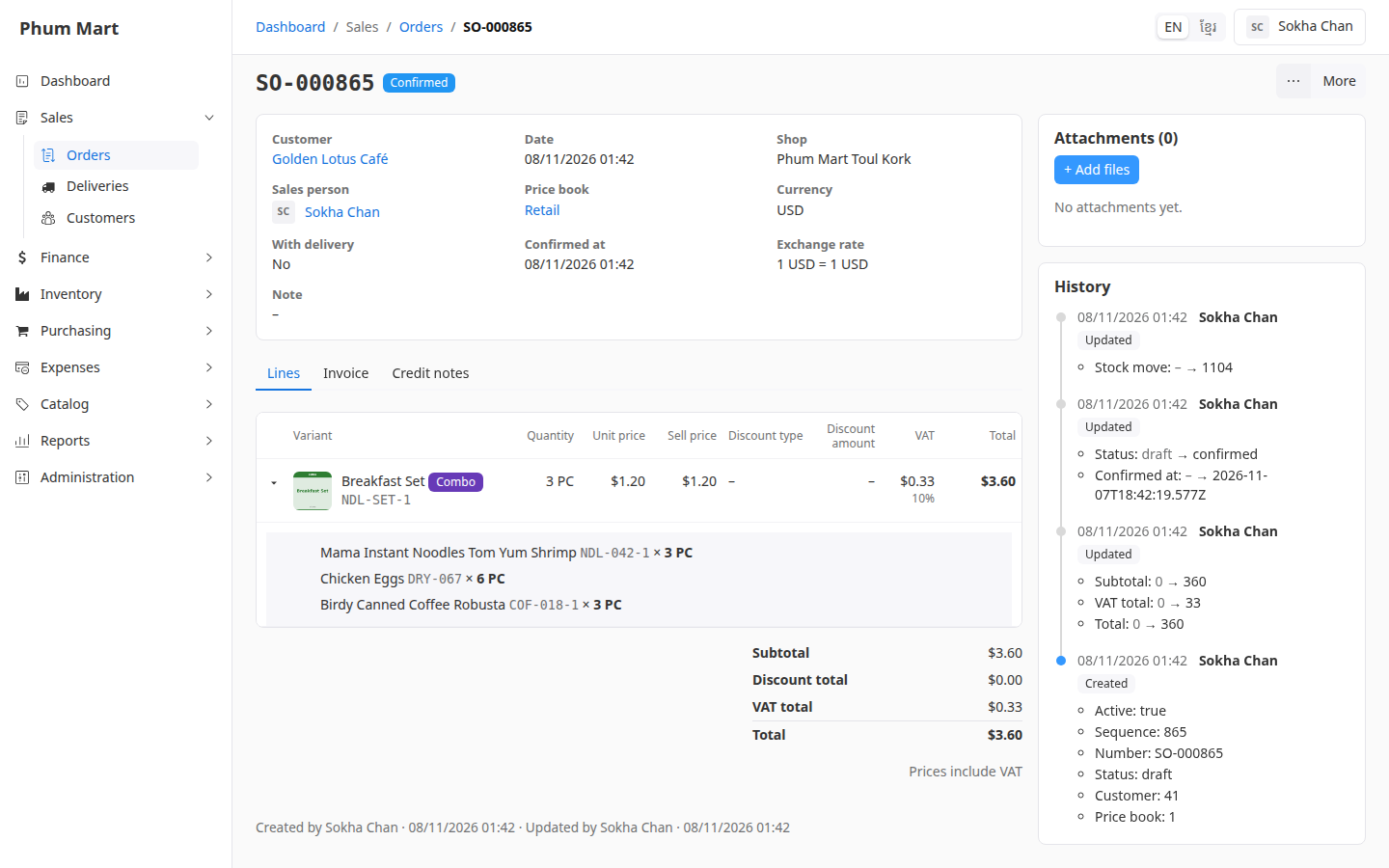
Open the Lines tab. Under the combo line, you can now see its components and how many of each left stock. Click the arrow at the start of the line to show or hide them.
Good to know
- Later changes to the combo don't affect this order. The components are copied onto the line when you confirm.
- Deliveries: a combo is delivered as a whole, for example "1 Breakfast Set". You can't deliver one of its components on its own.
- A combo of services only, such as a service package, takes nothing out of stock. Its line says "No stock effect".
Having trouble?
- A message lists a component that's short of stock: the shop doesn't have enough of that component, for example the eggs. Nothing changed and the order is still a draft.
- "The combo has no components": the combo was set up without components, or they were removed. Ask whoever manages products.