Appearance
Change the base or default currency
Two currencies have a special role. They can be the same currency, and often are:
- Base currency: reports, totals and every exchange rate are counted in it. Its rate is always 1.
- Default currency: it's picked for you on new documents. You can still choose another on each document.
You rarely need to change the base currency. If you do, every other rate must be updated, because rates are counted from the base.
Who can do this: Anyone whose role can edit currencies, usually an Administrator.
Step by step
Change the default currency
- Go to Administration › Settings › Currencies and click the currency.
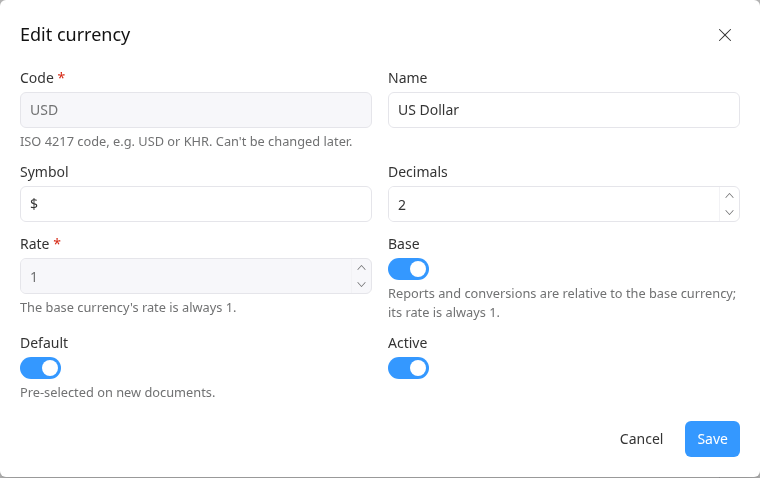
- Click Edit, turn on Default and click Save. The previous default currency stops being the default.
Change the base currency
Click the currency that should become the base, then click Edit.
Turn on Base. A warning reminds you to update the other rates. The Rate becomes 1.
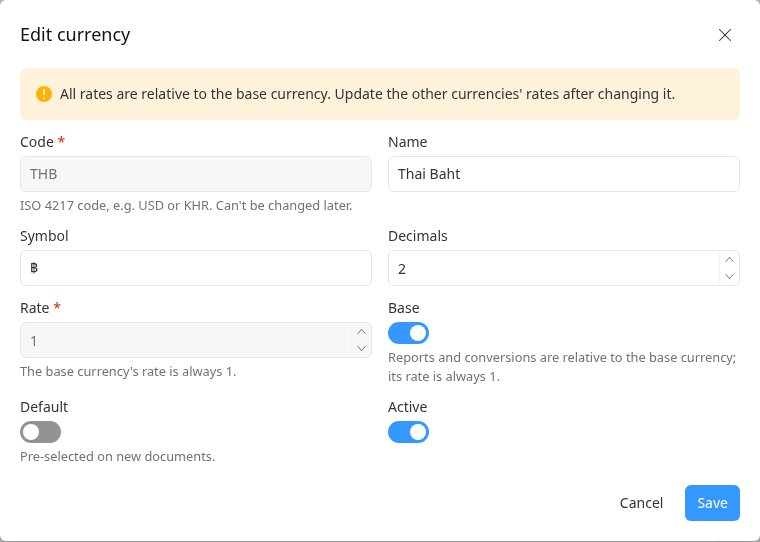
Click Save.
Open each other currency and update its Rate, counted from the new base. See Add currencies and update rates.
The base currency's rate can't be edited: it shows "The base currency's rate is always 1."
Having trouble?
- You can't turn off Base or Default: there must always be one of each. Turn it on for another currency instead.
- You can't deactivate or delete a currency: the base and default currencies must stay active. Choose others first.