Appearance
Refund a customer
A refund records money you hand back to a customer. You don't create it on its own: when you post a credit note with the Refund settlement, the refund (RF-…) is made and confirmed for you, for the part the customer had already paid.
If the customer hadn't paid yet, there's nothing to refund: the amount just comes off their invoice.
Who can do this: Anyone who can post credit notes. Seeing and printing refunds needs permission to see refunds.
Before you start: The goods came back. See Return items from a sale.
Step by step
Return the items with Settlement set to Refund, and choose the Refund method: Cash, Bank transfer, Card, Mobile wallet, Cheque or Other.
Post the credit note. The summary shows the new refund under Refund, marked Posted.
Hand the money to the customer, or send the bank transfer.
Click the refund number to open it. It shows the customer, shop, amount, method and the credit note it came from.
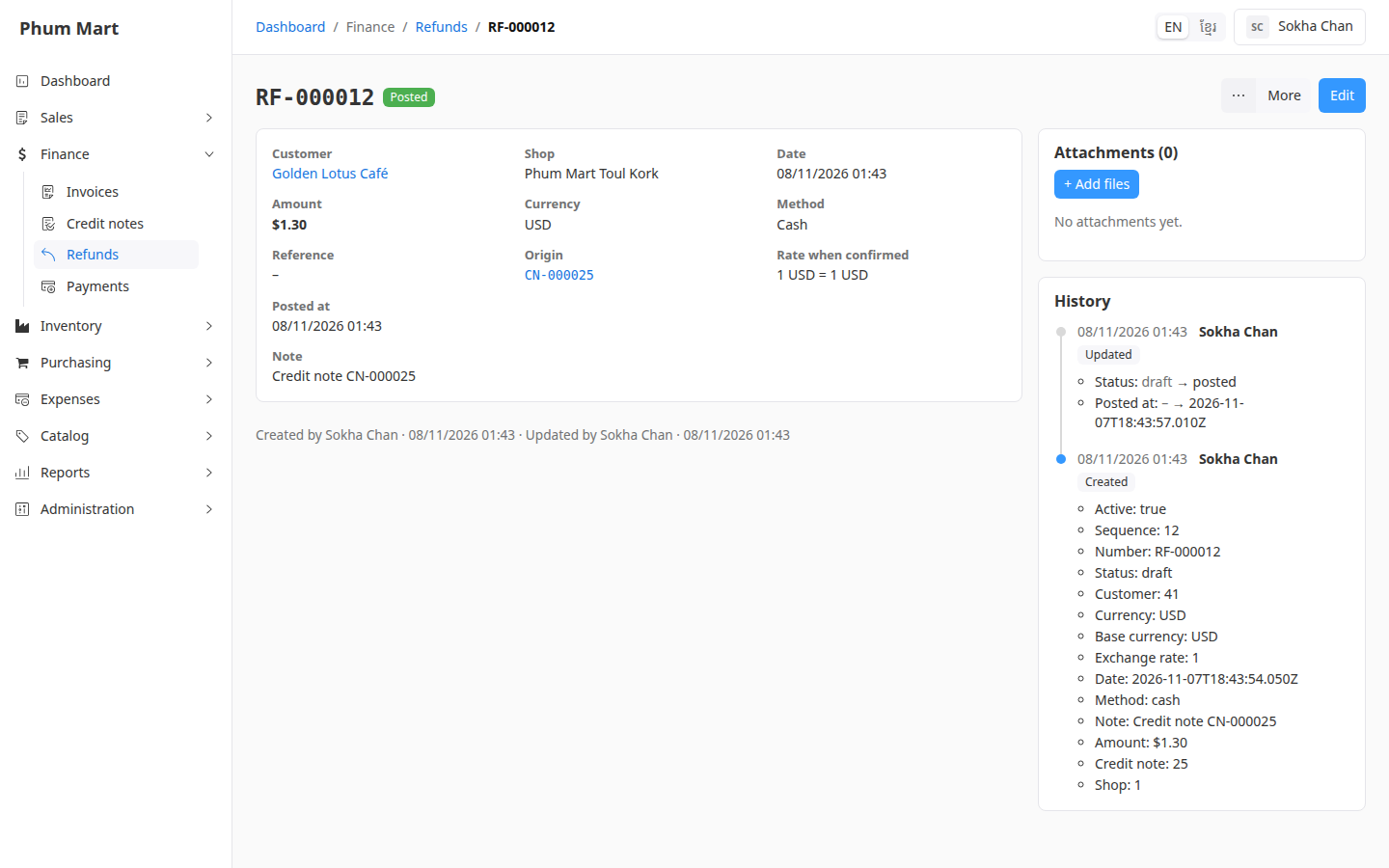
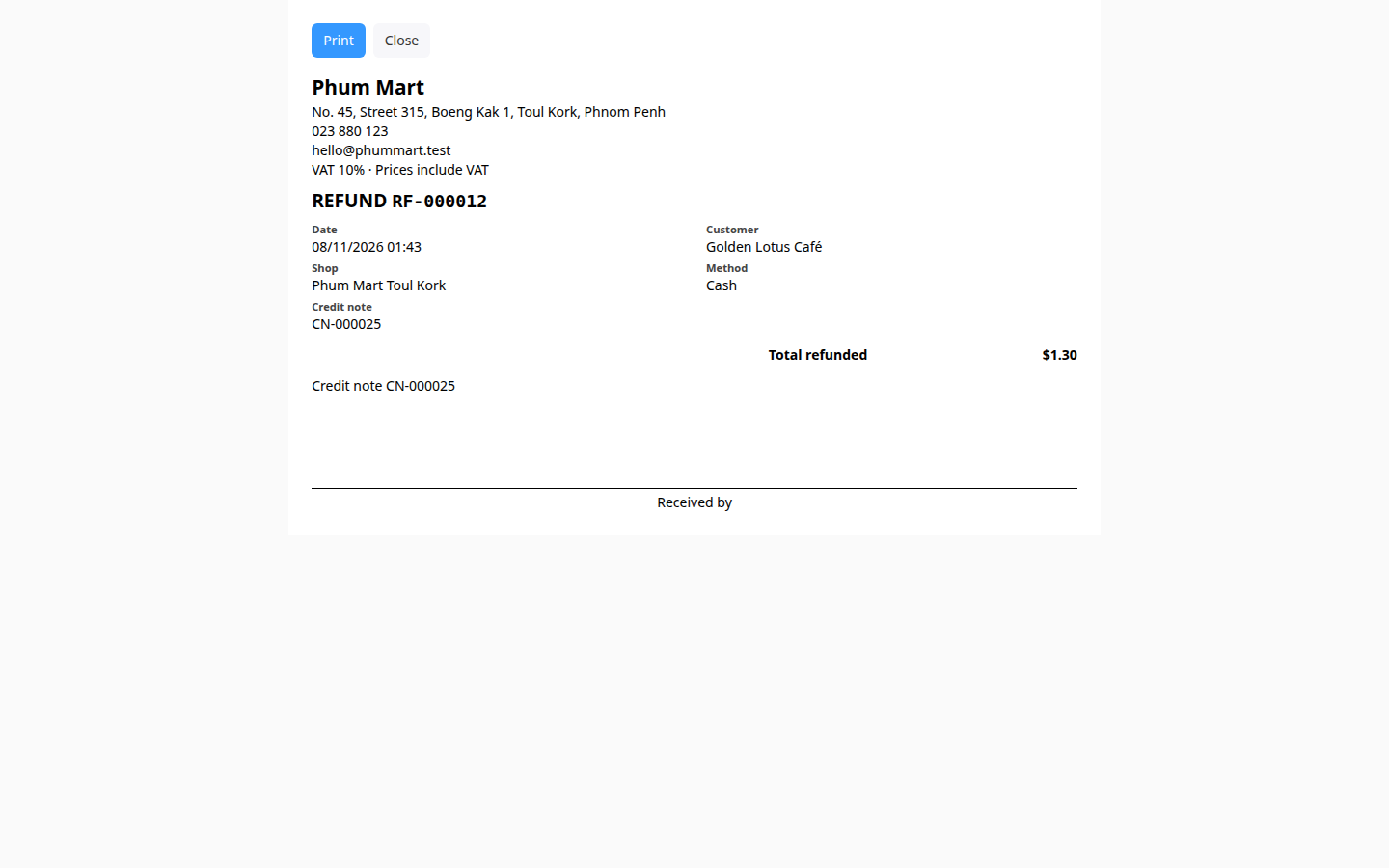
If the customer wants a receipt, click More › Print receipt A4 or Print receipt 80mm, then print. The receipt has a "Received by" line for the customer to sign.
All refunds are listed in Finance › Refunds. The Credit note column shows which credit note each came from.
To add a bank transfer reference after the fact, open the refund and click Edit.
Having trouble?
- There's no refund on the credit note: nothing had been paid on the invoice, so the amount was only taken off what the customer owes. Or the settlement was Store credit.
- The refund amount is less than the credit note: only what was already paid is refunded. The rest was taken off the invoice.
- You refunded by mistake: void the refund. The money goes on the customer's store credit until you void the credit note too. See Void a refund or credit note.