Appearance
Sales by item
One row per variant sold in the period, with how many were Sold and Returned, and its sales and profit figures, as in the Sales summary. The first row, All items, adds them all up. Quantities are in each product's base unit, so a box of 12 counts as 12 pieces. A combo is one item: its sales aren't split into its components.
Who can do this: Anyone whose role has the Sales reports permission.
Step by step
Go to Reports › Sales by item, and choose the period and shop.
Click a column header to sort by it, for example Gross profit to find what earns most, or click again to find what earns least. Net sales, highest first, is the default.
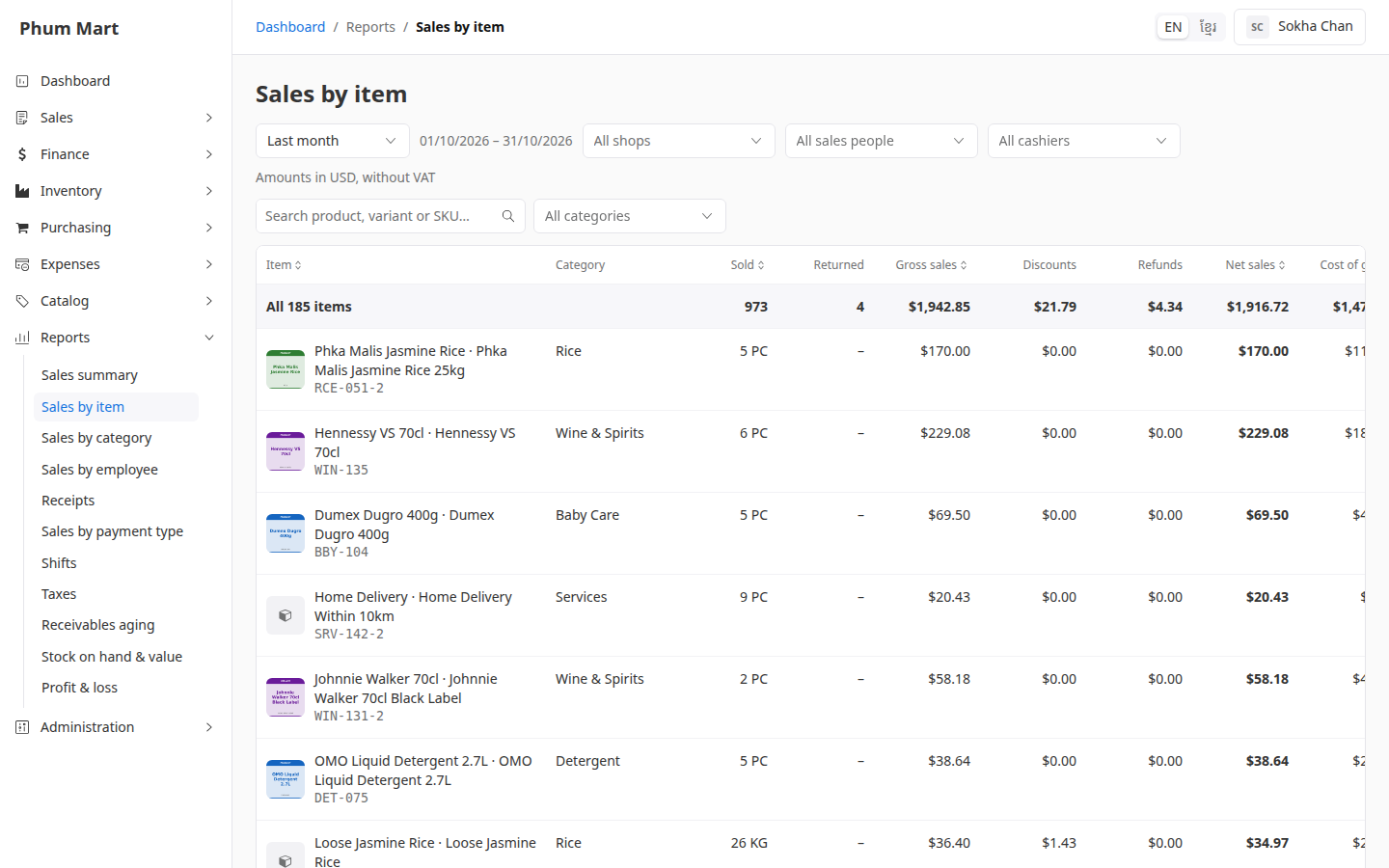
To find a product, type its name or SKU in Search…. To see one category, choose it in All categories.
Click a row to open the product.
Having trouble?
- A product is missing: it didn't sell in the period. Check the period and shop.
- A product shows in an unexpected category: items are shown in their category as it is today. Moving a product moves its past sales too.