Appearance
Receipts
Receipts lists the period's sales documents: each invoice (a sale) and each credit note (a return), newest first. Use it to check a figure, or to find a sale by its customer or number. Returns show a negative total. Void documents are listed, crossed out, but don't count.
Total is the document's own amount, in its currency and with VAT, as printed. Net sales is what it adds to the reports, without VAT, in your base currency.
Who can do this: Anyone whose role has the Sales reports permission.
Step by step
Go to Reports › Receipts, and choose the period, shop, sales person or cashier.
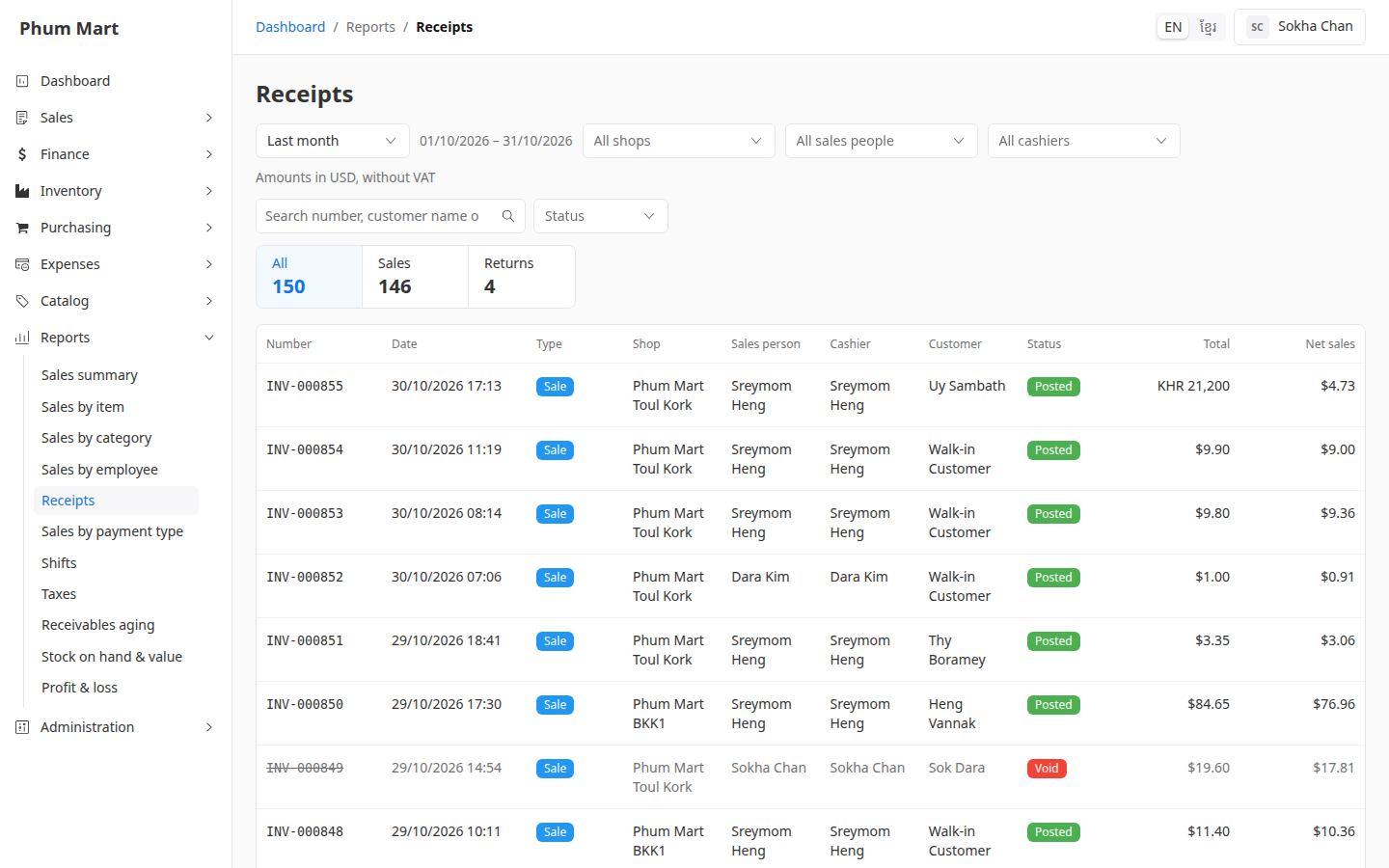
Click All, Sales or Returns above the table to show those documents, with how many there are.
Type a number, customer name or phone in the search to find documents.
Choose a Status to see only posted or void documents.
Click a row to open the invoice or credit note.
Having trouble?
- A sale is missing: its order isn't confirmed yet, or its invoice is dated in another period.
- A void invoice is listed: void documents stay in the list so you can see them, but they aren't counted.