Appearance
Sales by payment type
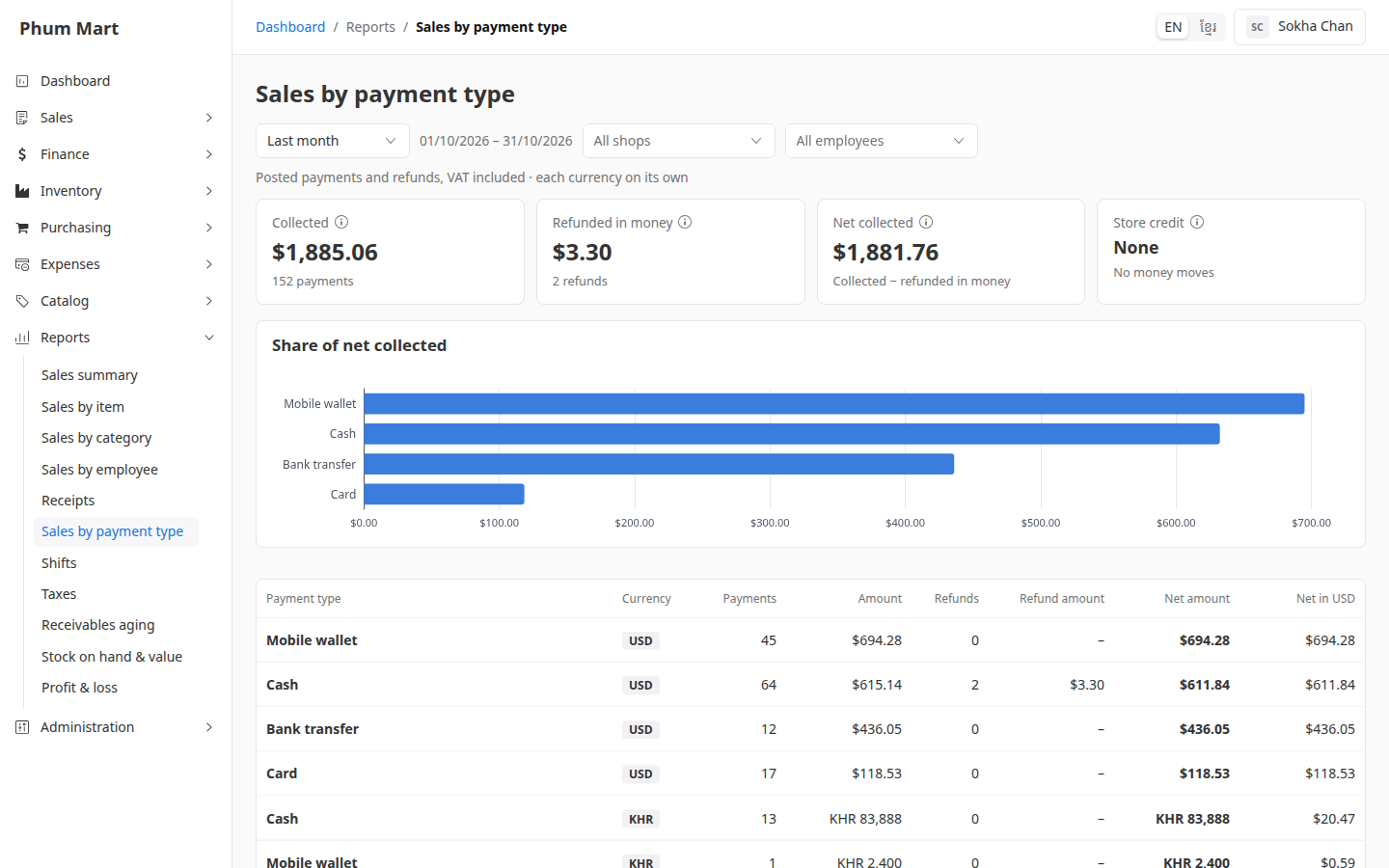
This report counts money: posted payments and refunds, with VAT, on the day they were posted. So it doesn't match net sales: an invoice paid next month counts next month here.
| Tile | Meaning |
|---|---|
| Collected | Money received from customers |
| Refunded in money | Money handed back to customers |
| Net collected | Collected − refunded in money |
| Store credit | Credit issued and used. It isn't money, so it isn't in the totals |
Who can do this: Anyone whose role has the Sales reports permission.
Step by step
Go to Reports › Sales by payment type, and choose the period and shop. The shop is where the money was received.
Read the tiles and the bar chart of each method's share.
Read the table: one row per method and currency, such as Cash USD and Cash KHR, with the payments, refunds and net amount. The last column converts each to your base currency, and Total adds them up.
Click a row to open those payments in Finance › Payments.
Use it at the end of the month: compare Bank transfer with the bank statement, and Mobile wallet with the wallet account.
Having trouble?
- There's no Sales person filter: payments aren't linked to a sales person. Employee is who recorded the payment.
- Cash at the till doesn't match: the change given and the cash in the drawer are in the shift reports. See Shifts.